AWS CloudFormation
-
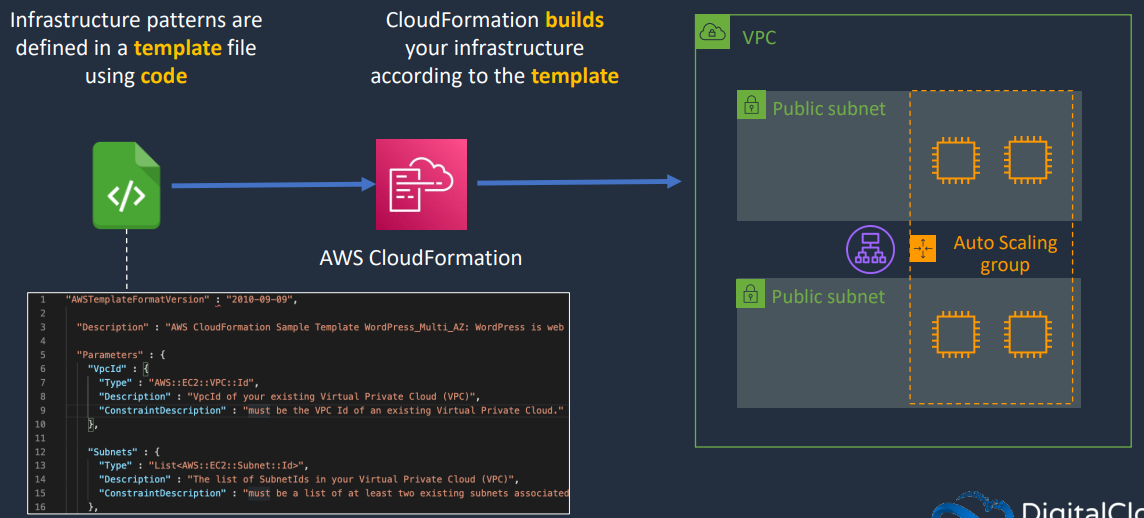
CloudFormation is an Infrastructure as Code (IaC) product in AWS which allows automation infrastructure creation, update and deletion.
-
Templates created in YAML or JSON can be used to automate infrastructure operations
-
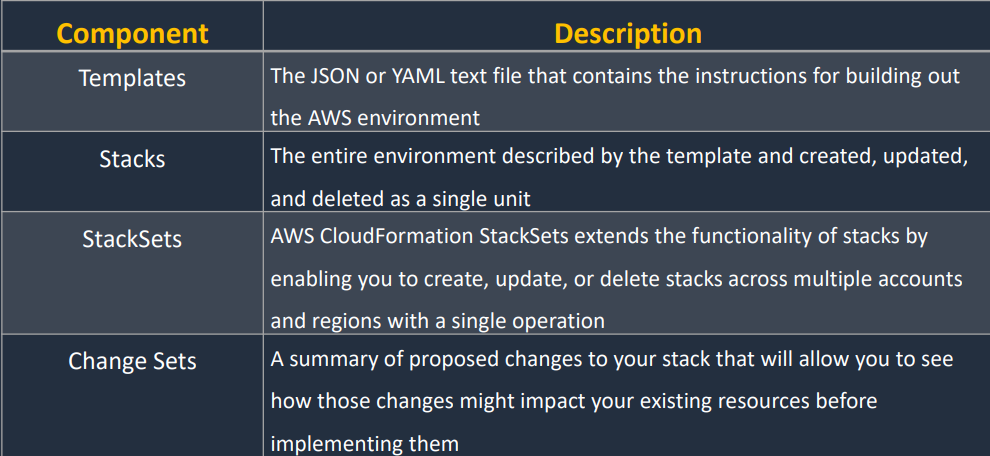
Templates are used to create stacks, which are used to interact with resources in an AWS account.
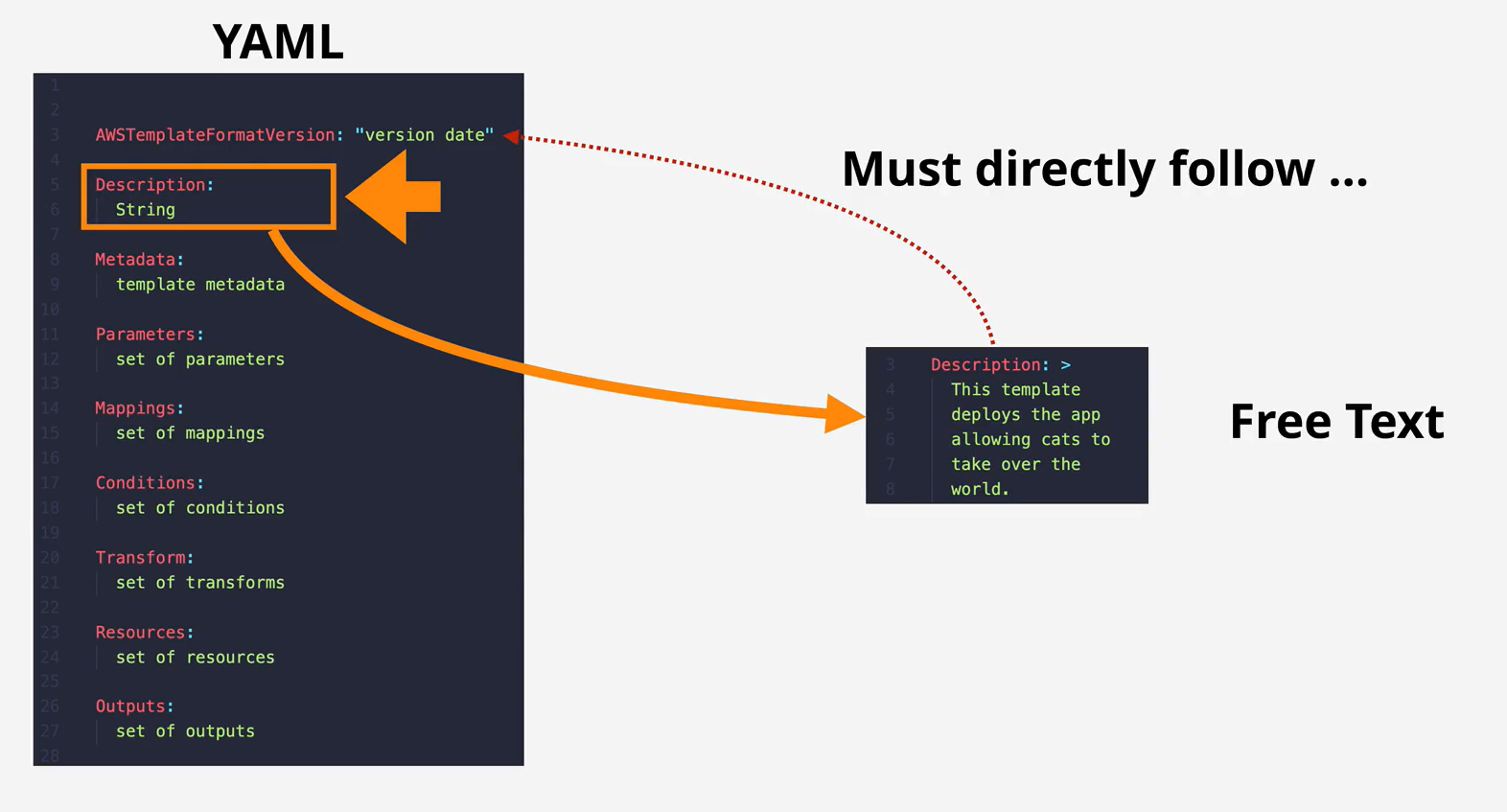
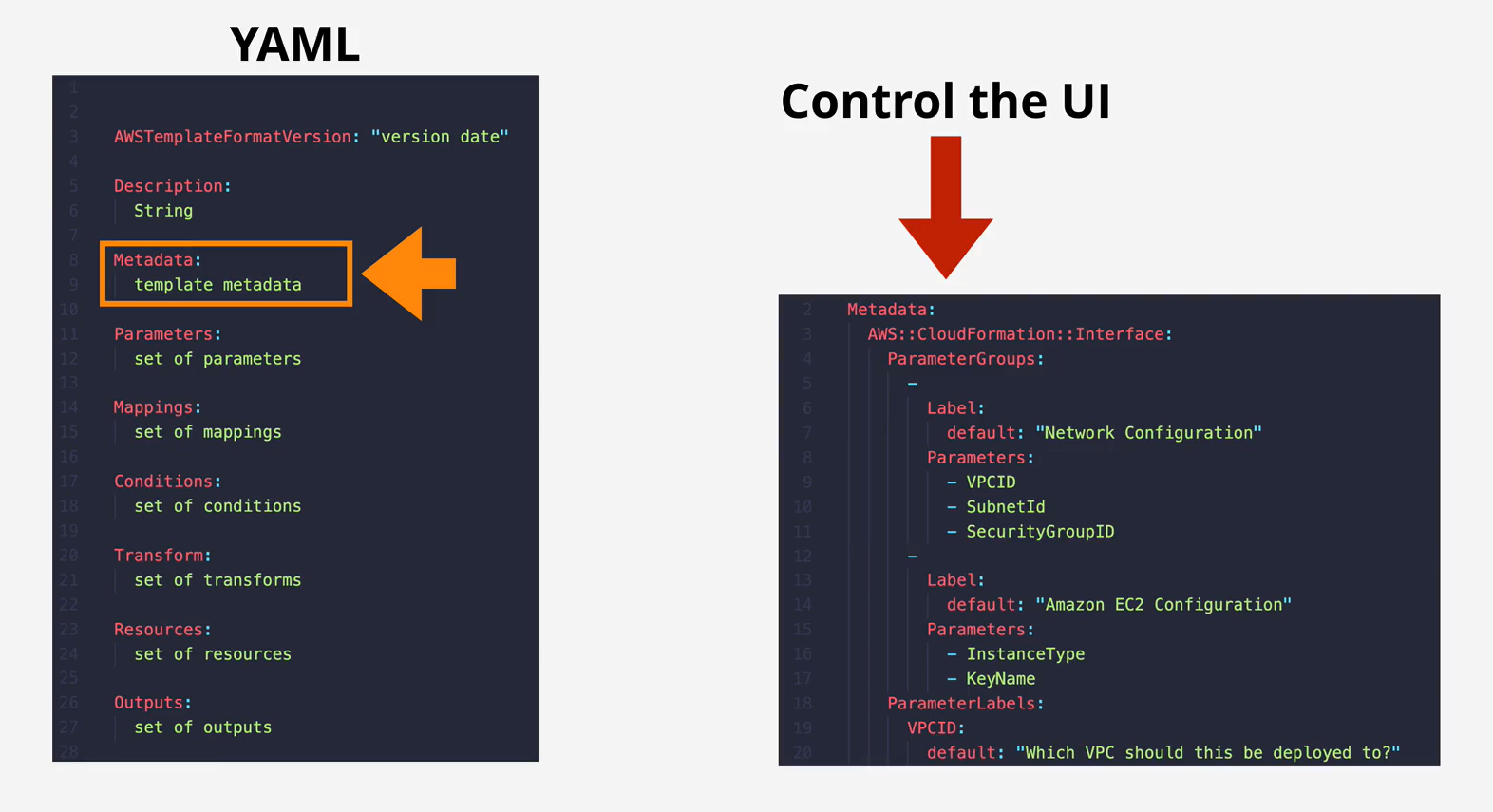
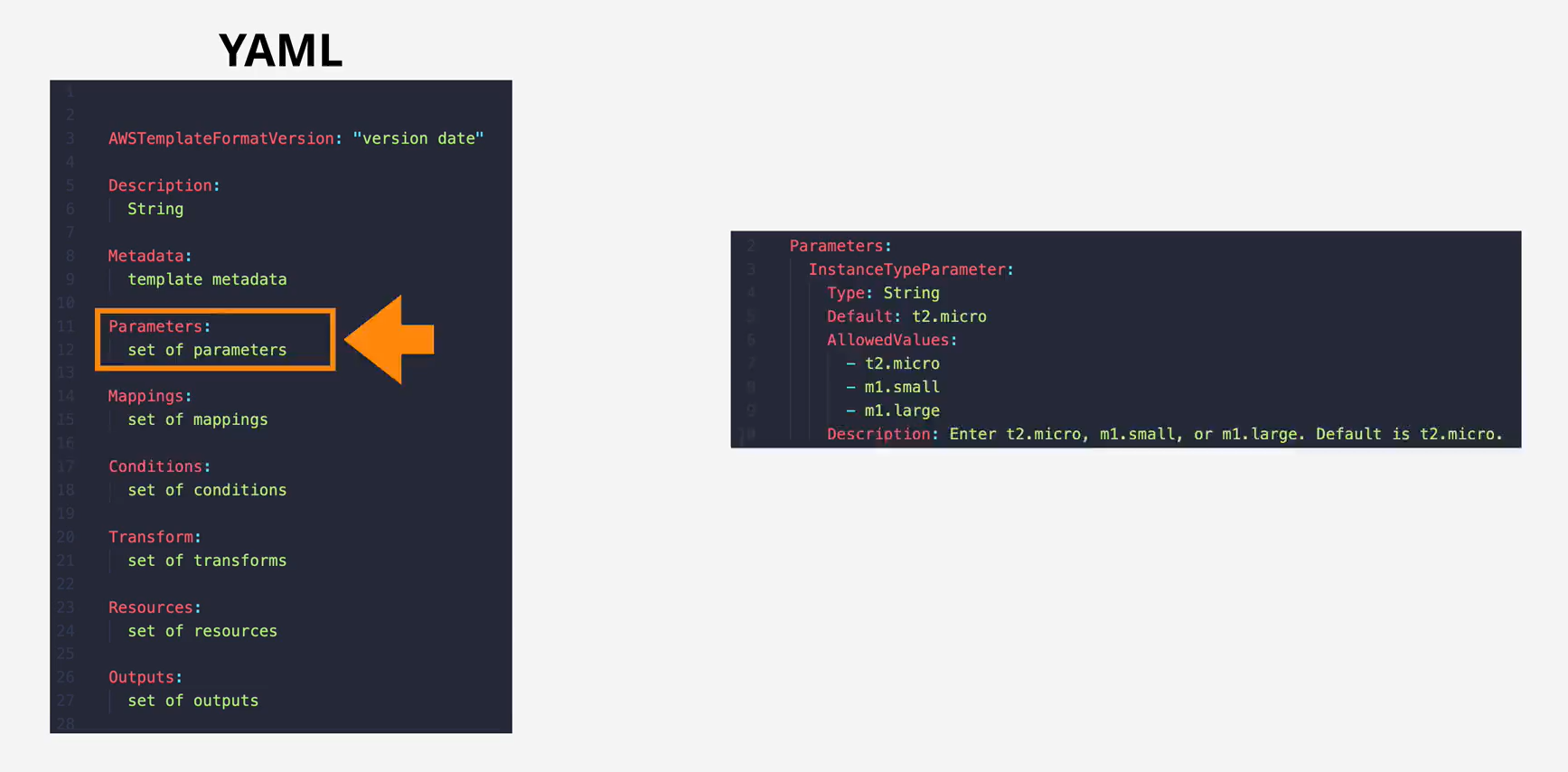
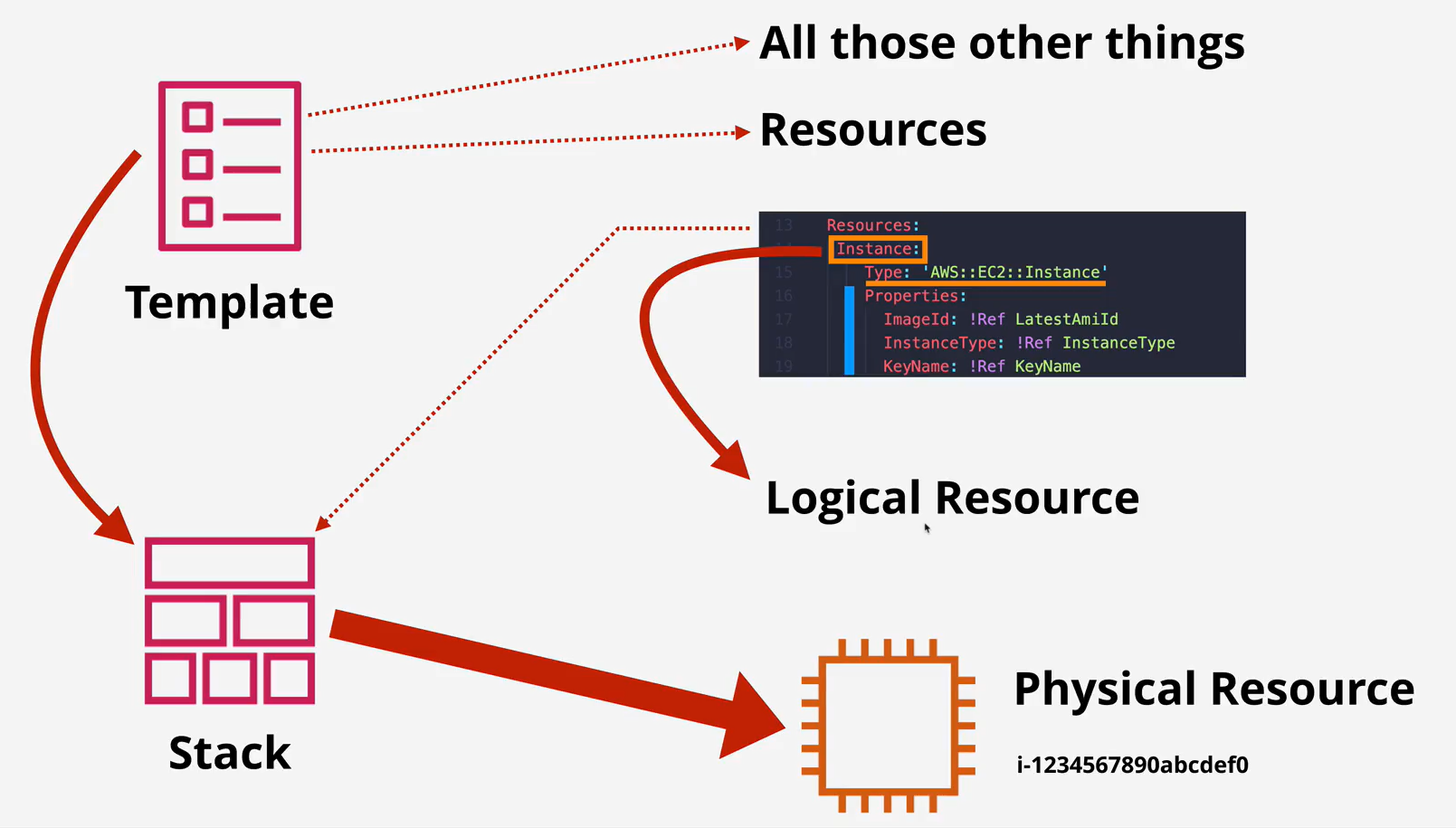
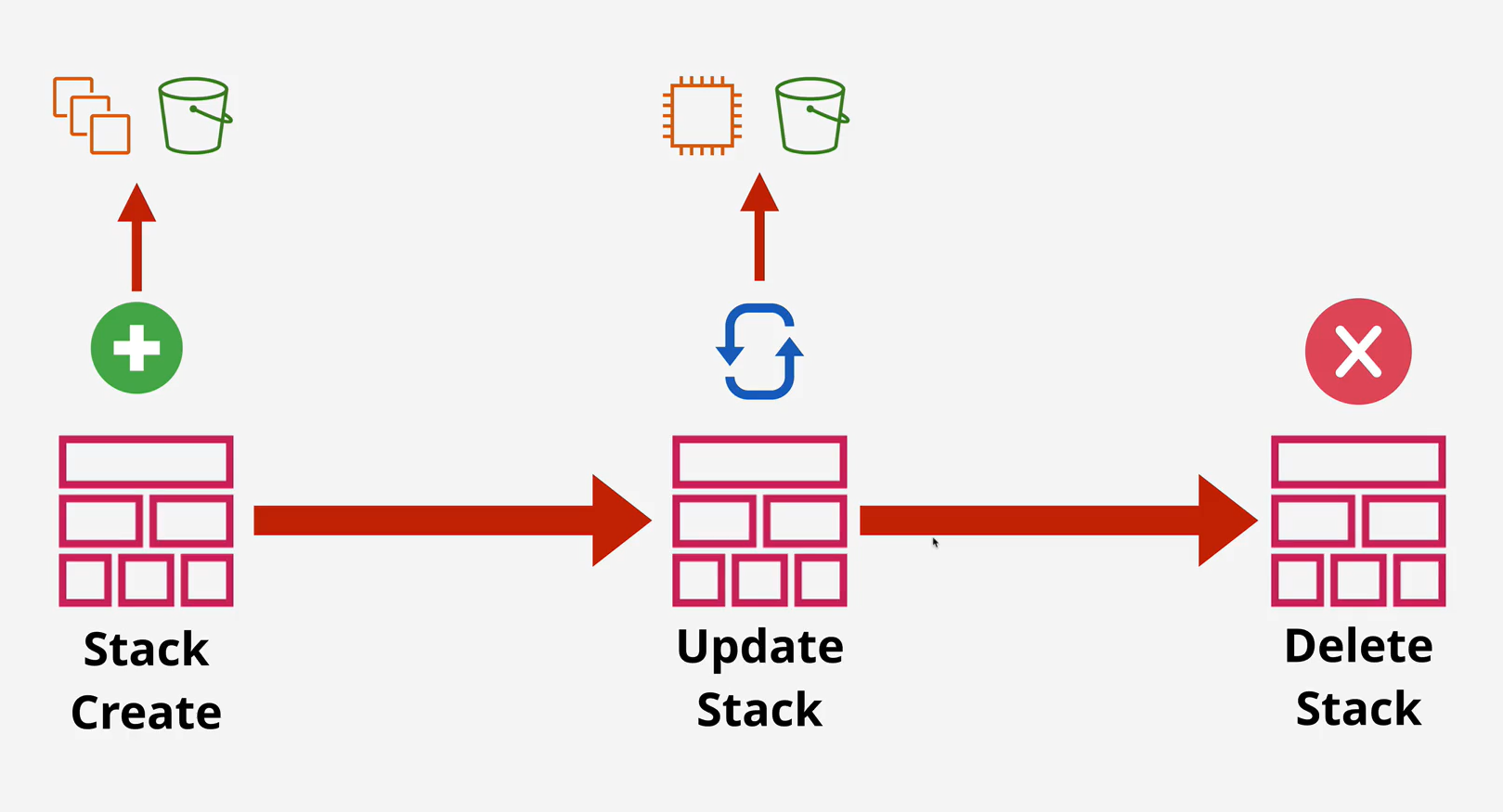
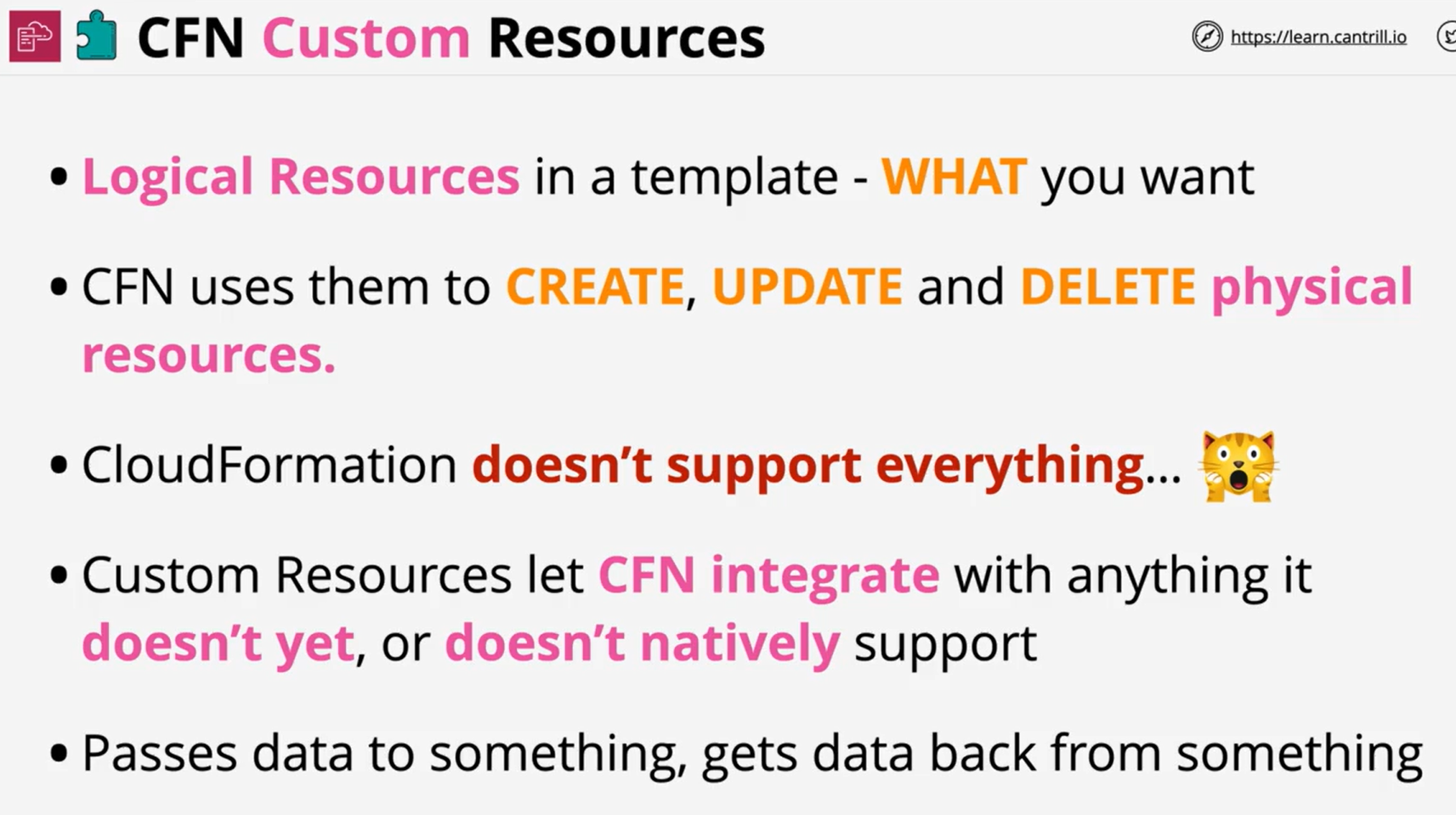
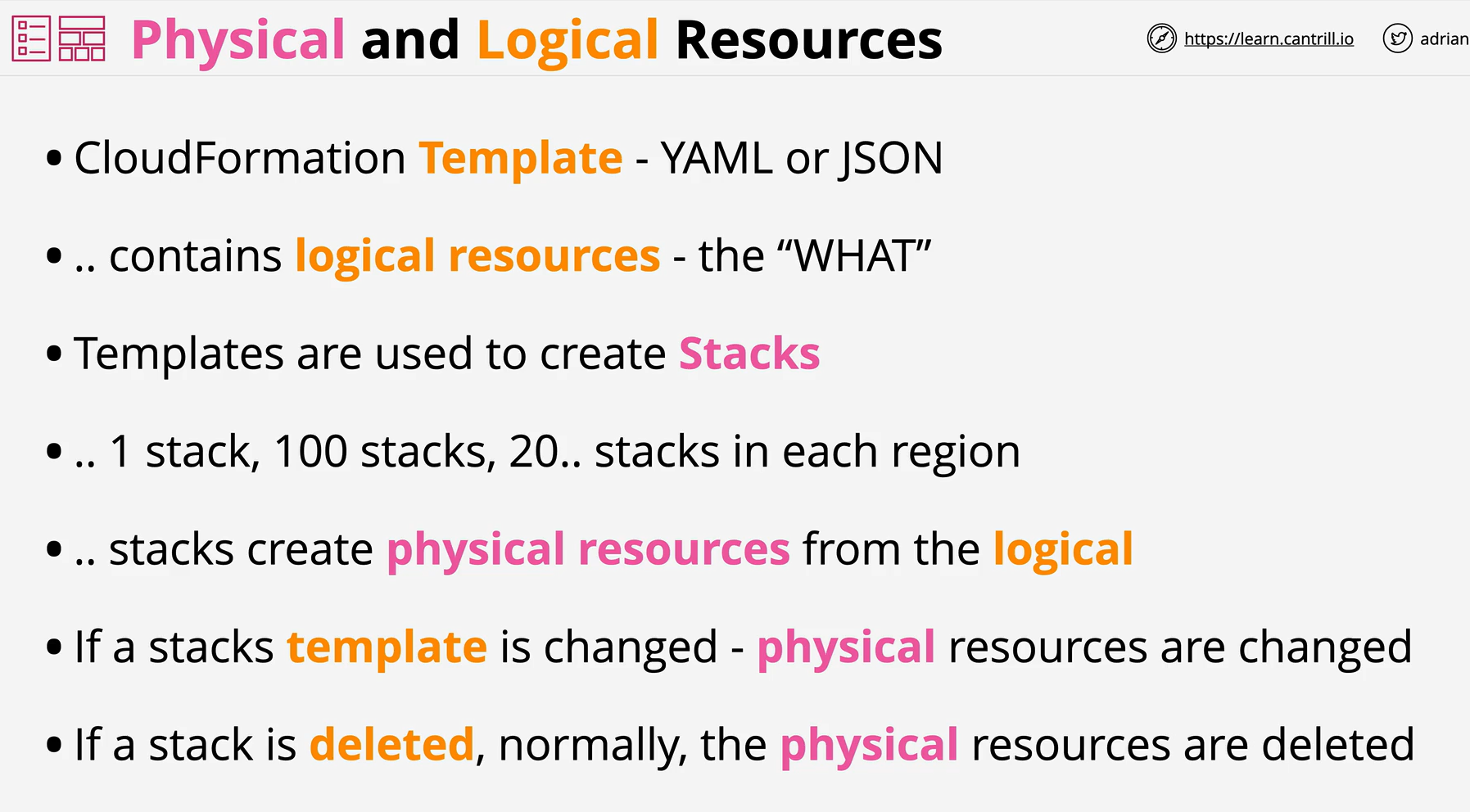
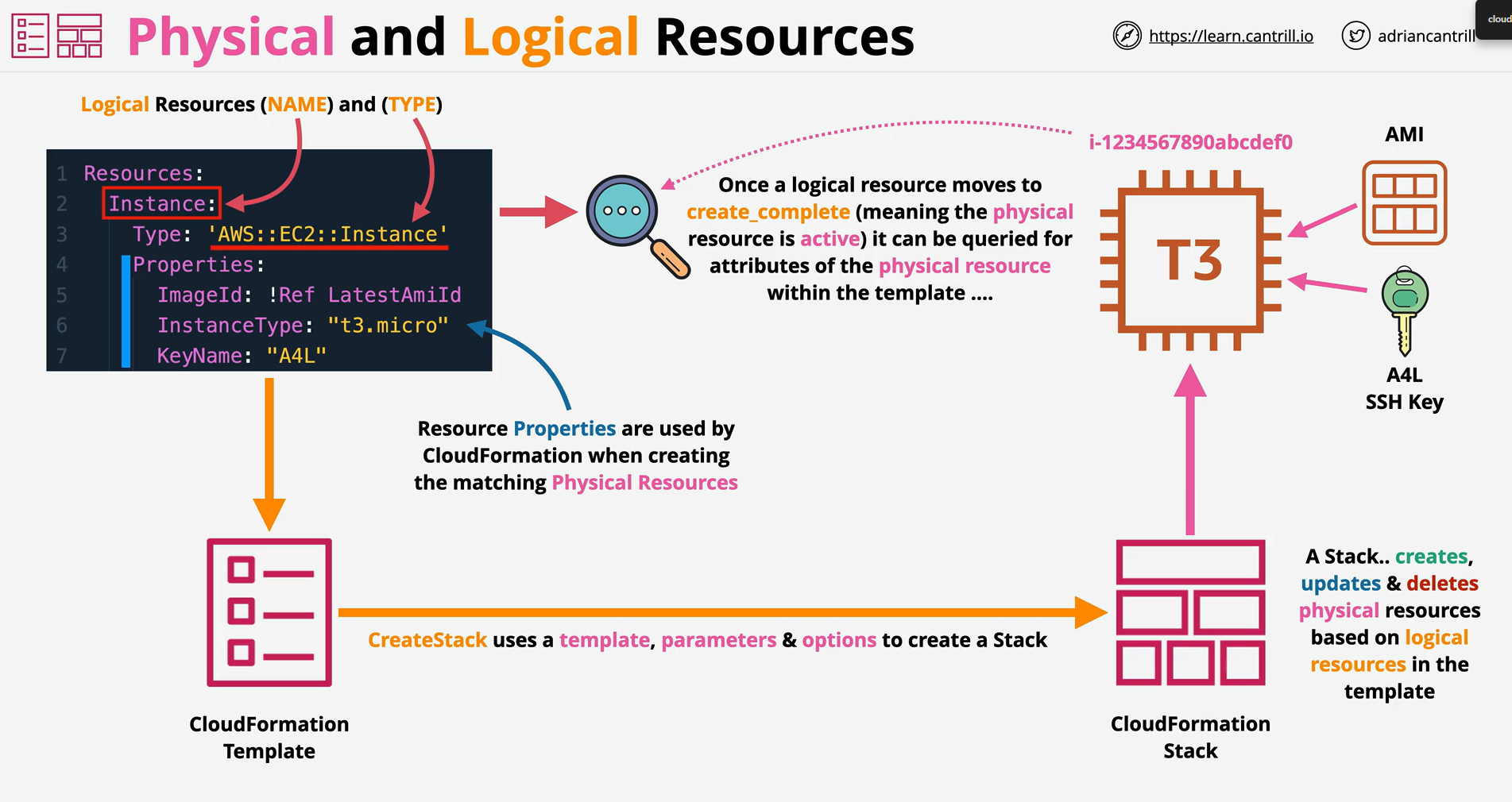
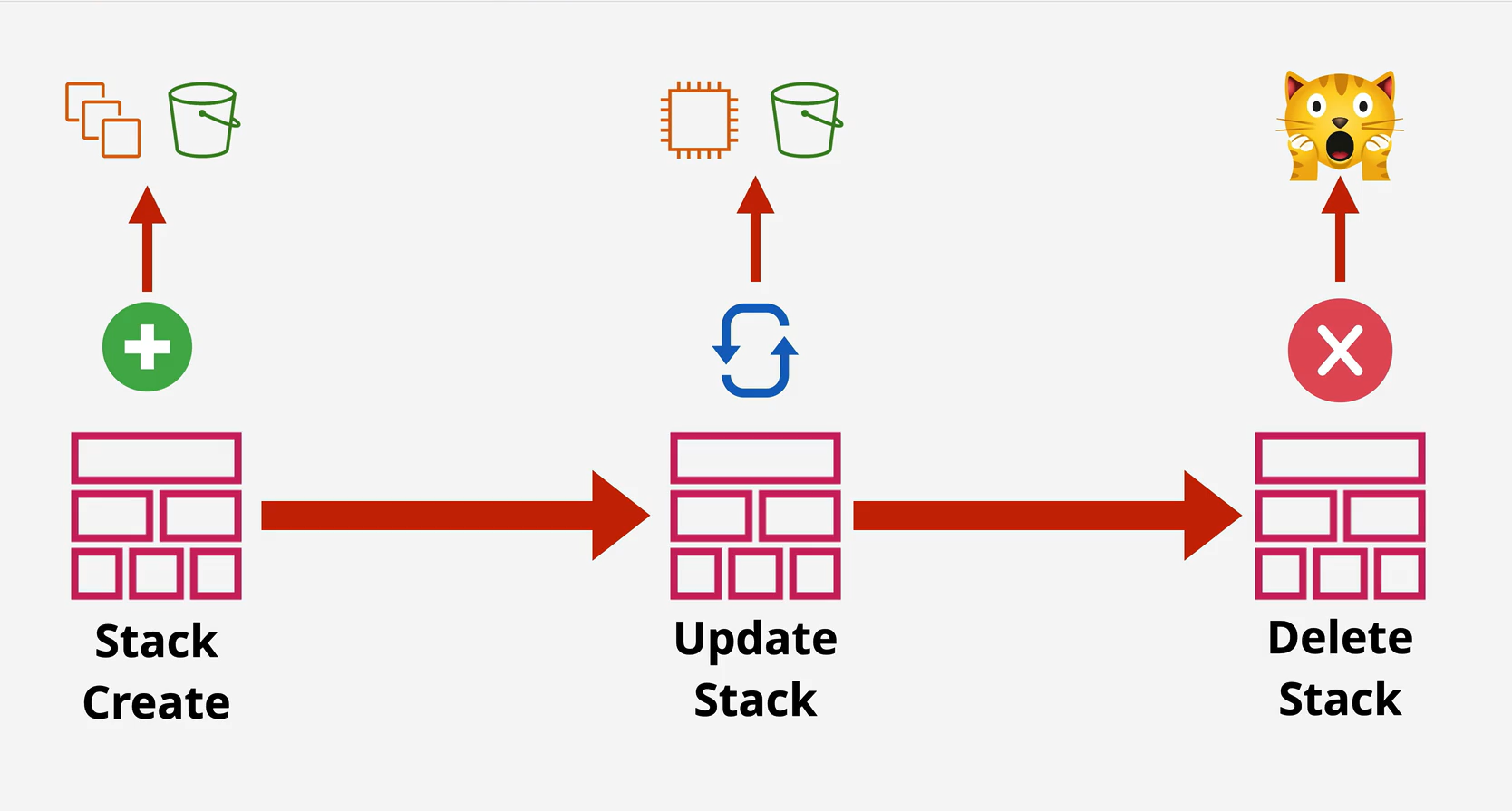
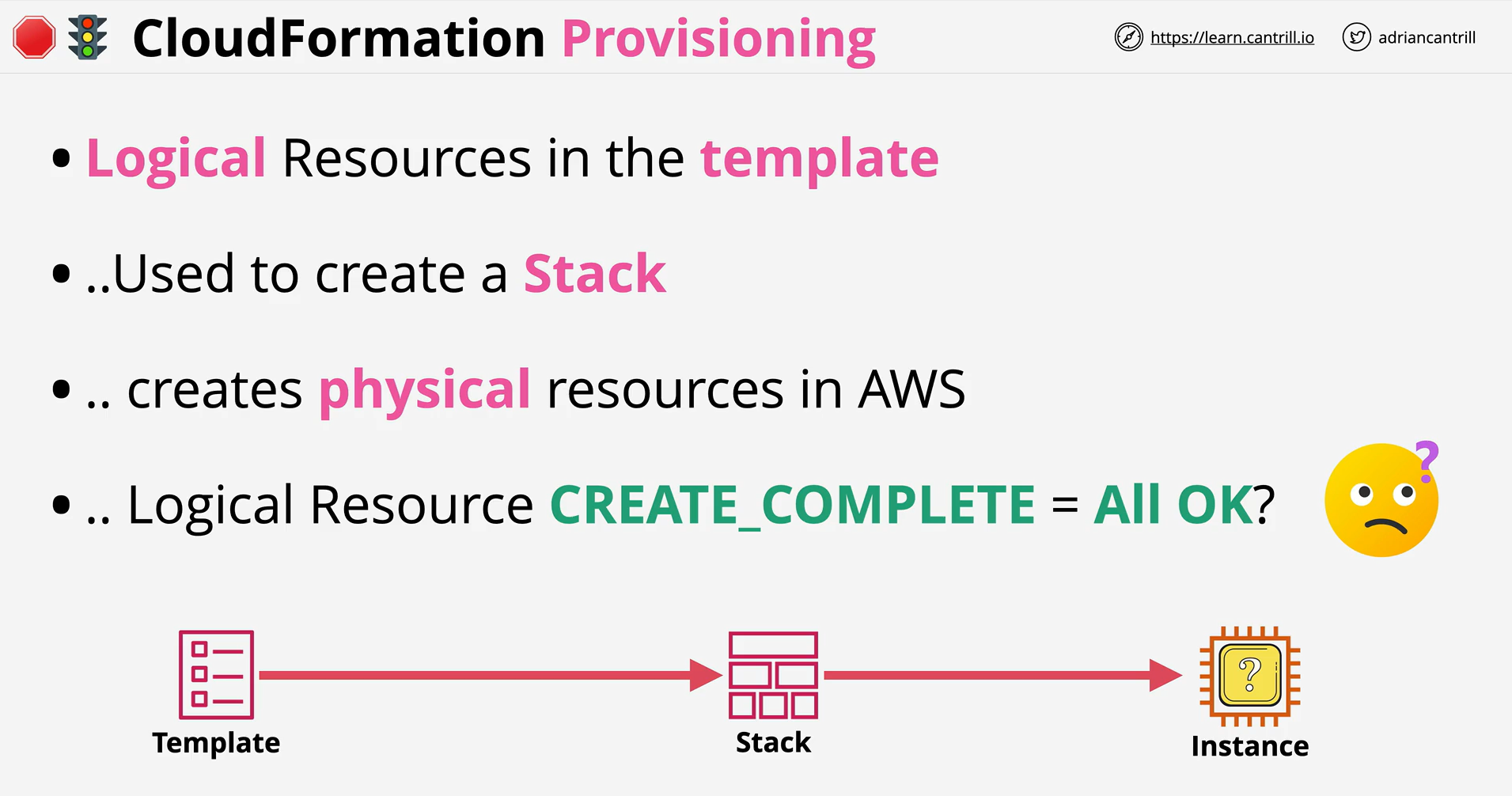
- CloudFormation defines logical resources within templates (using YAML or JSON). The logical resource defines the WHAT, and leaves the HOW up to the CFN product. A CFN stack creates a physical resource for every logical resource - updating or deleting them as a template changes.
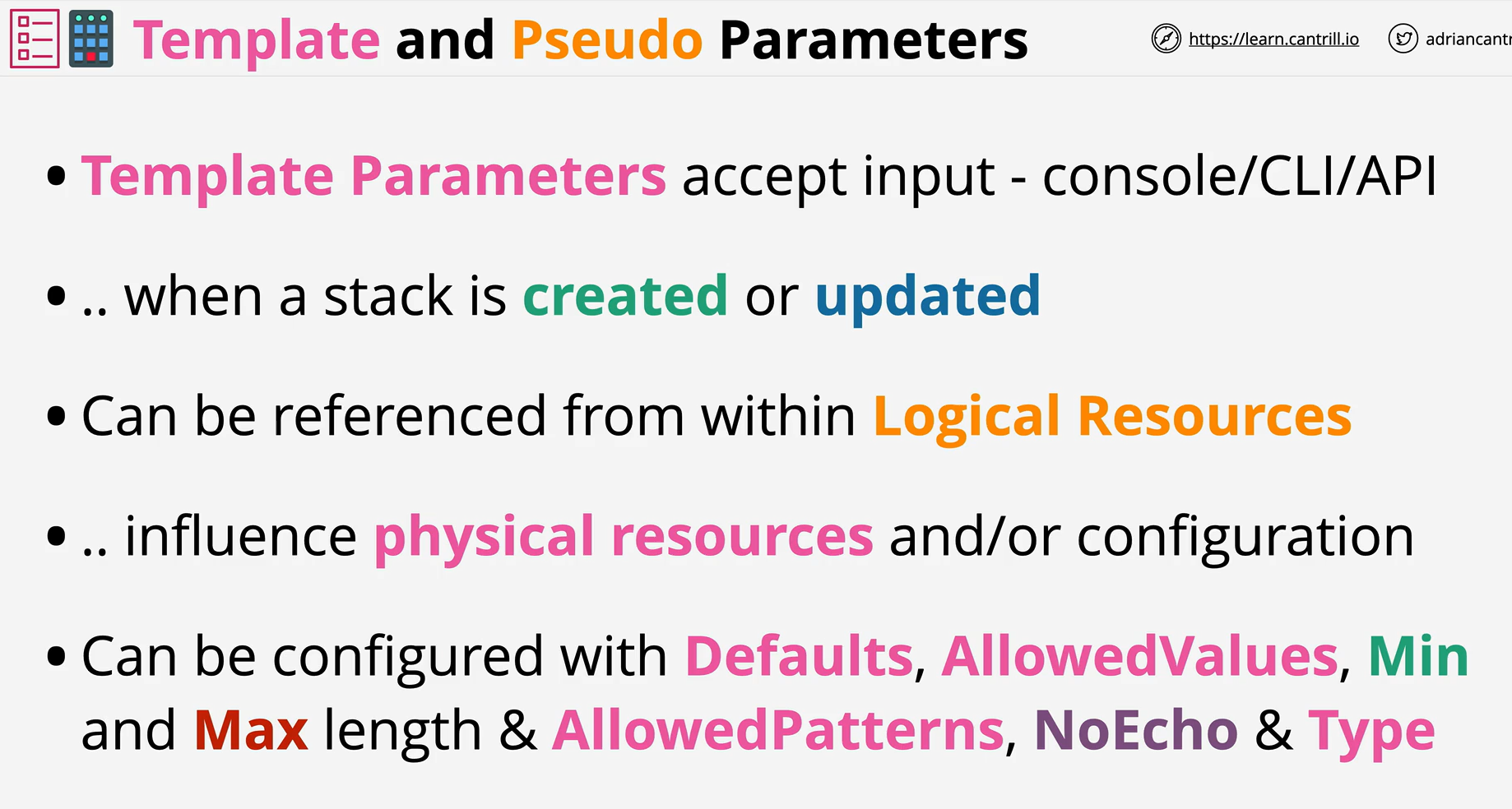
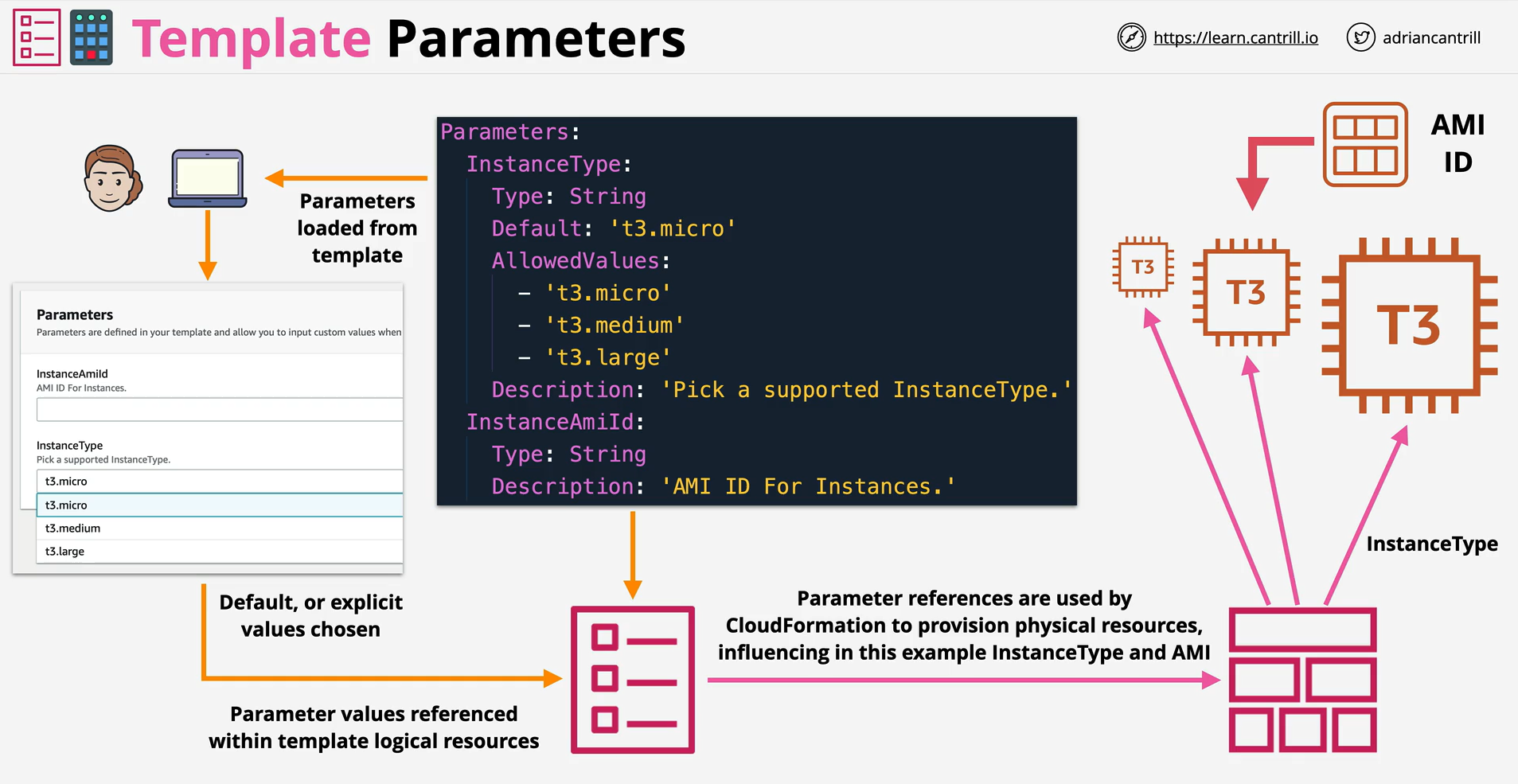
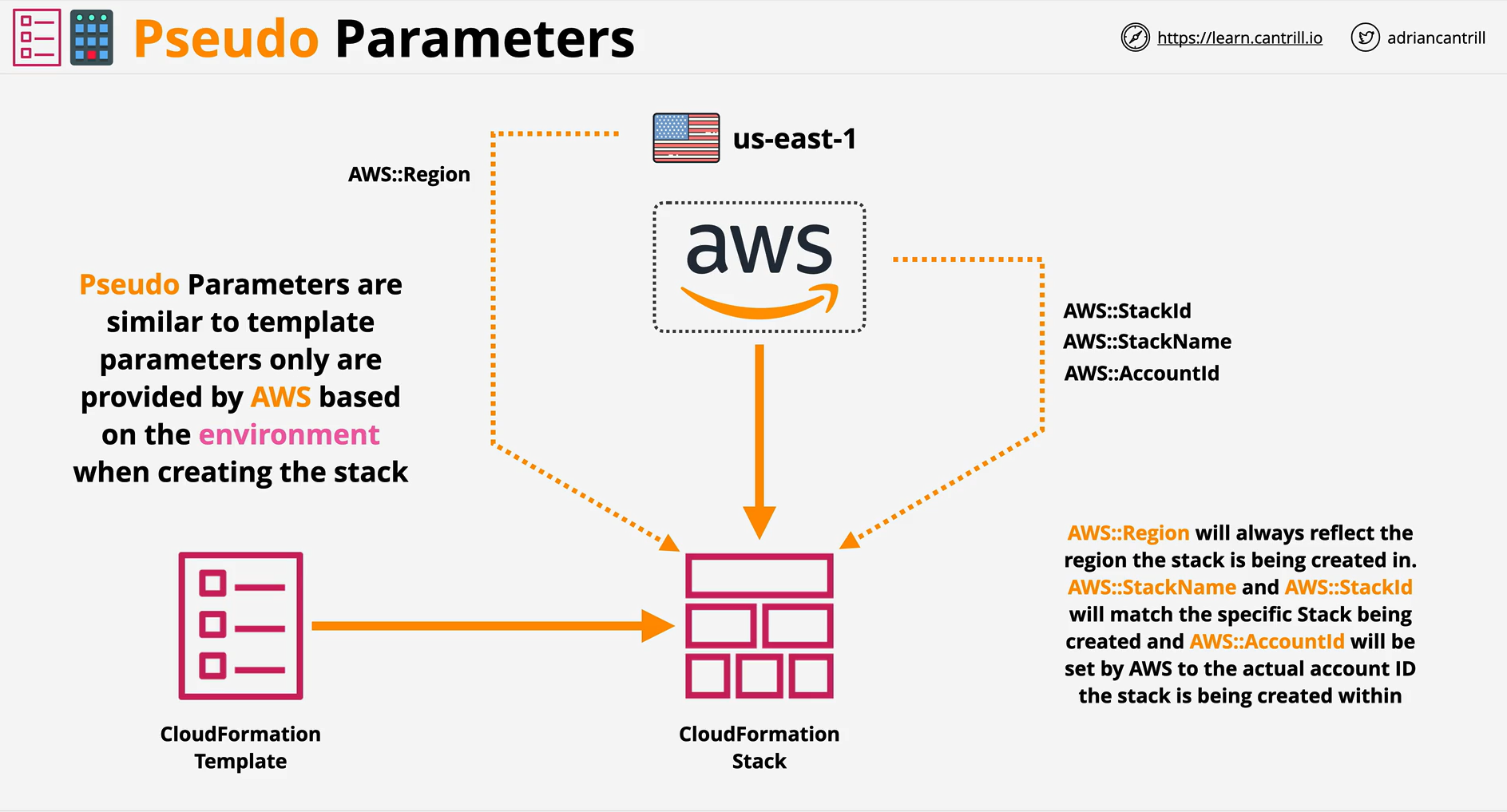
- Template and Pseudo Parameters are two methods to provide input to a template, which can influence what resources are provisioned, and the configuration of those resources.
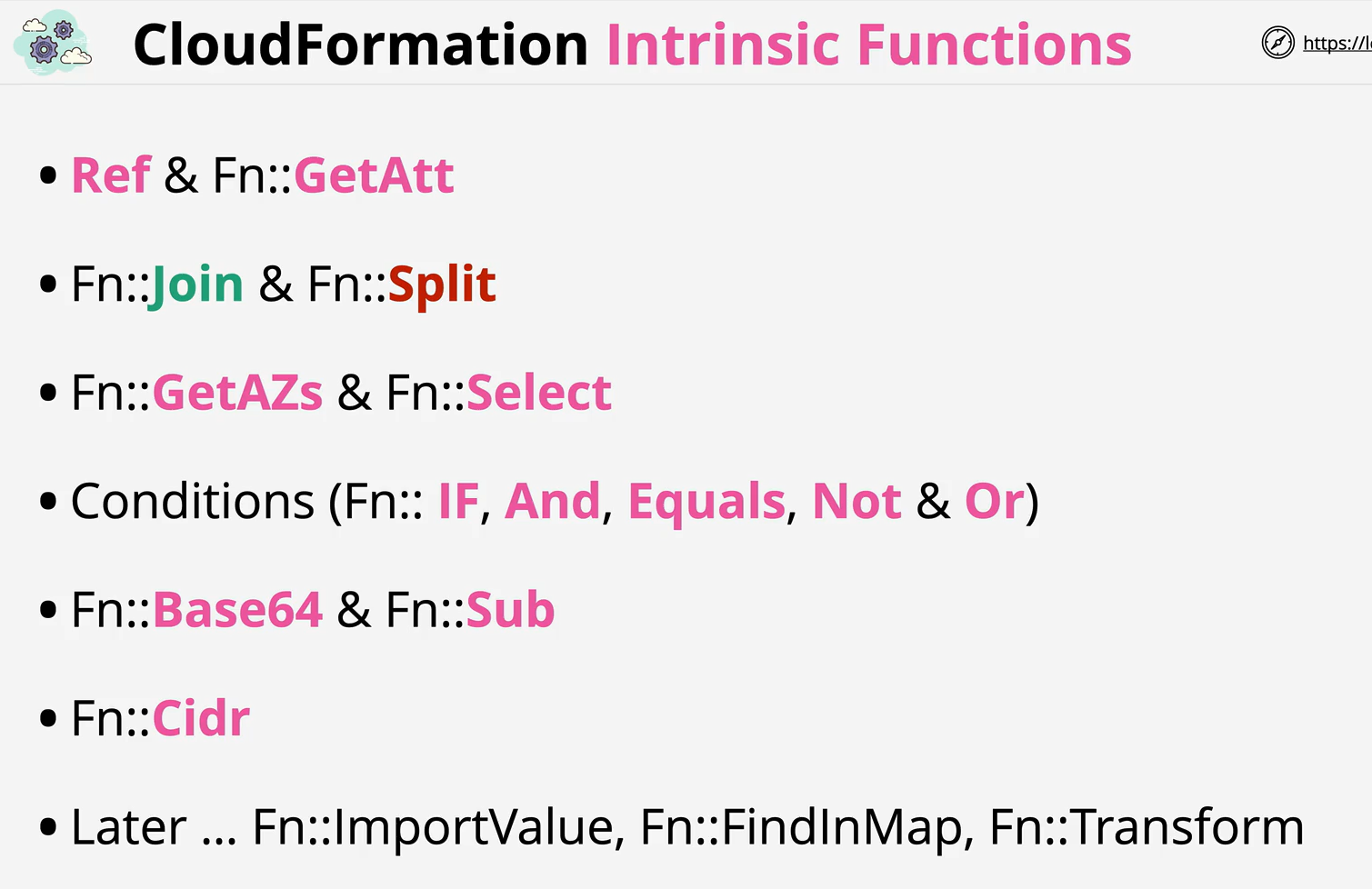
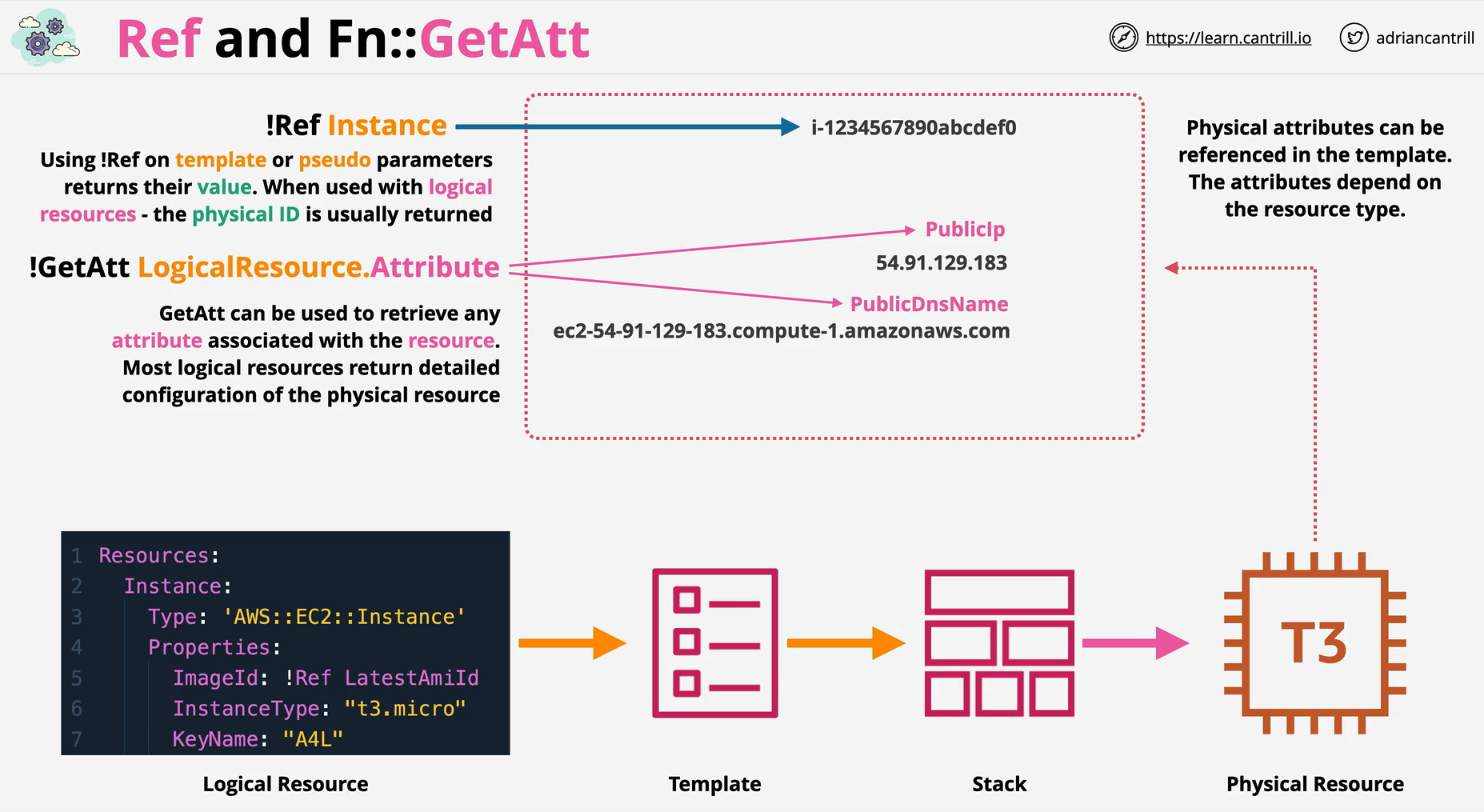
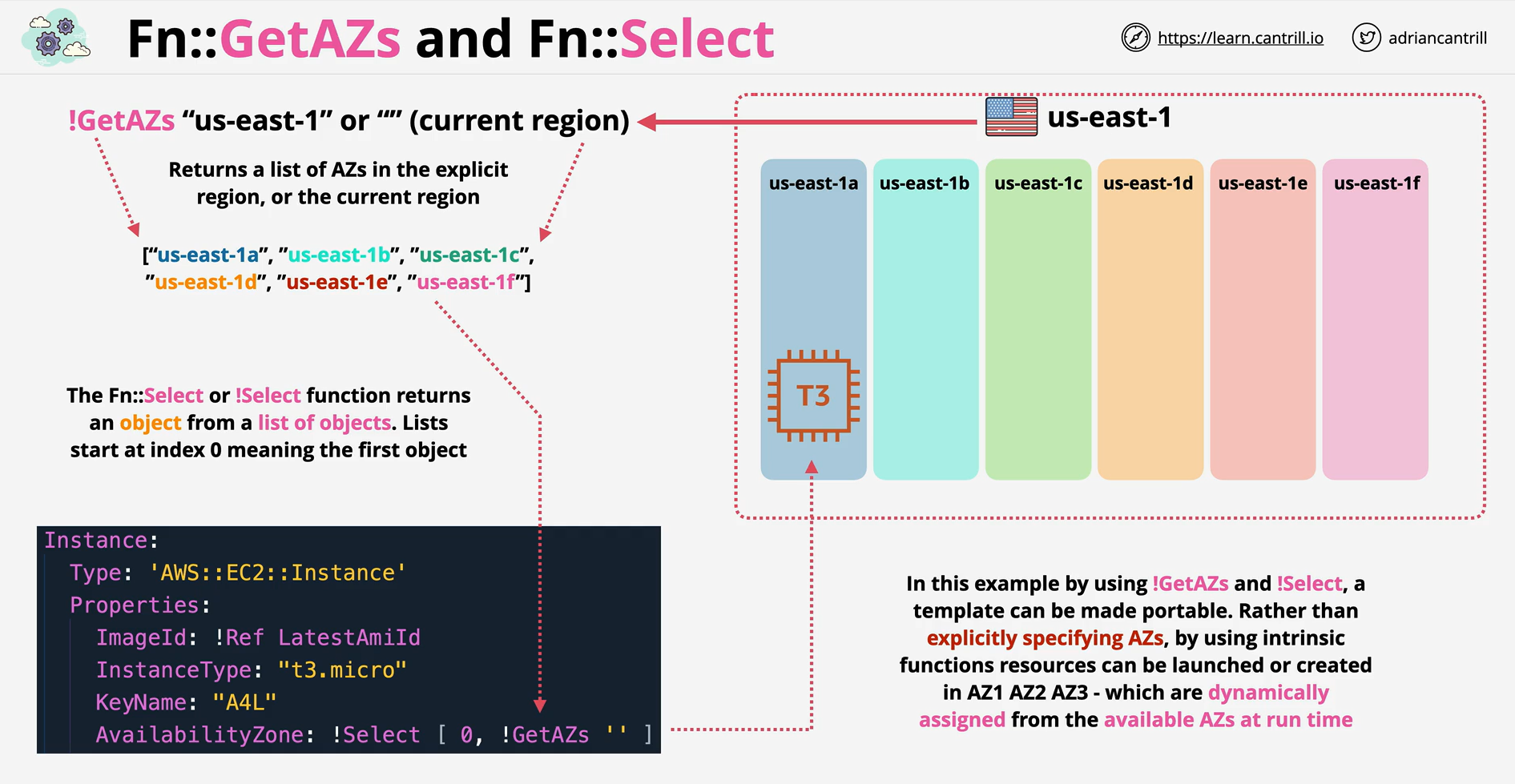
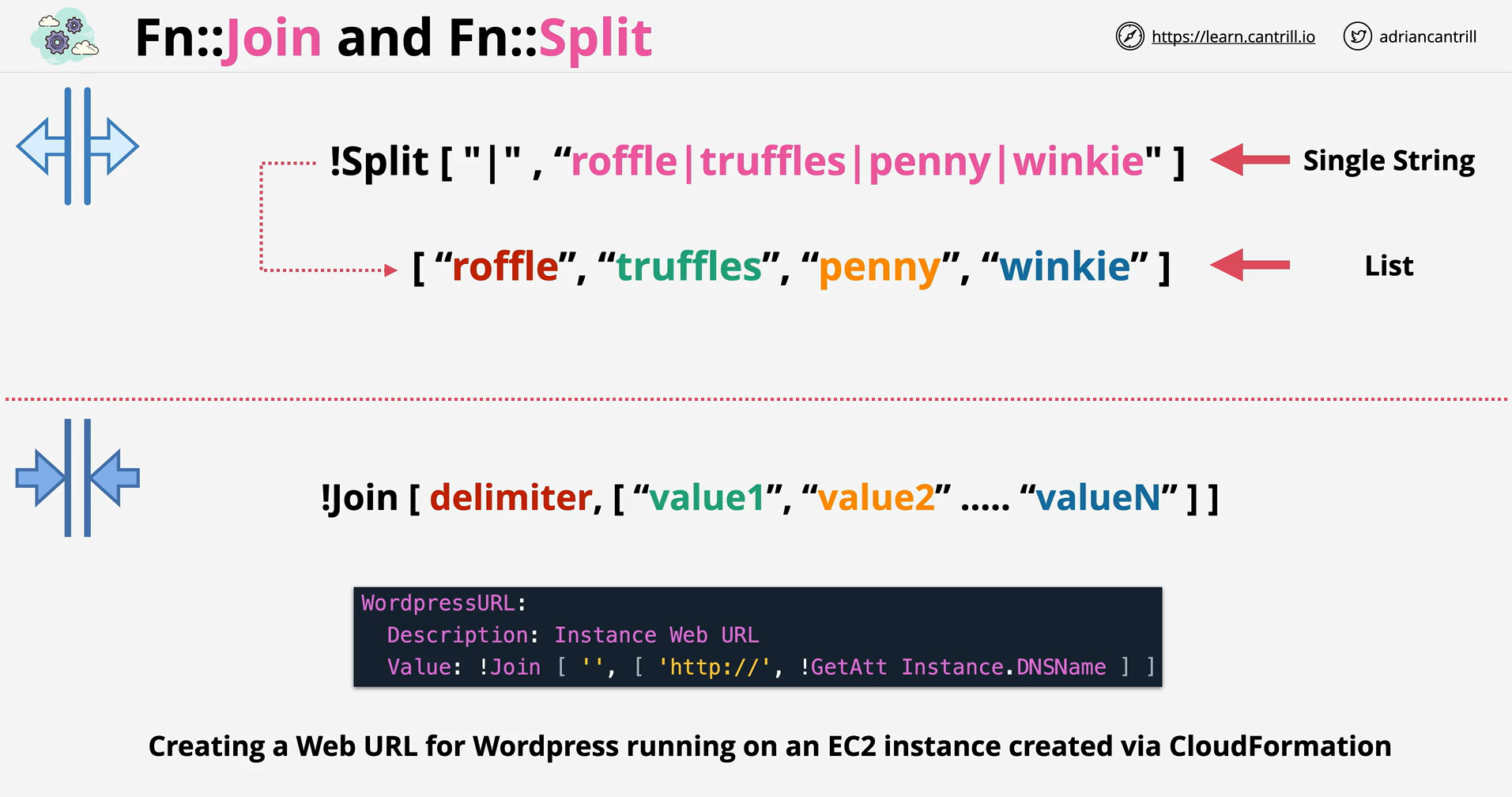
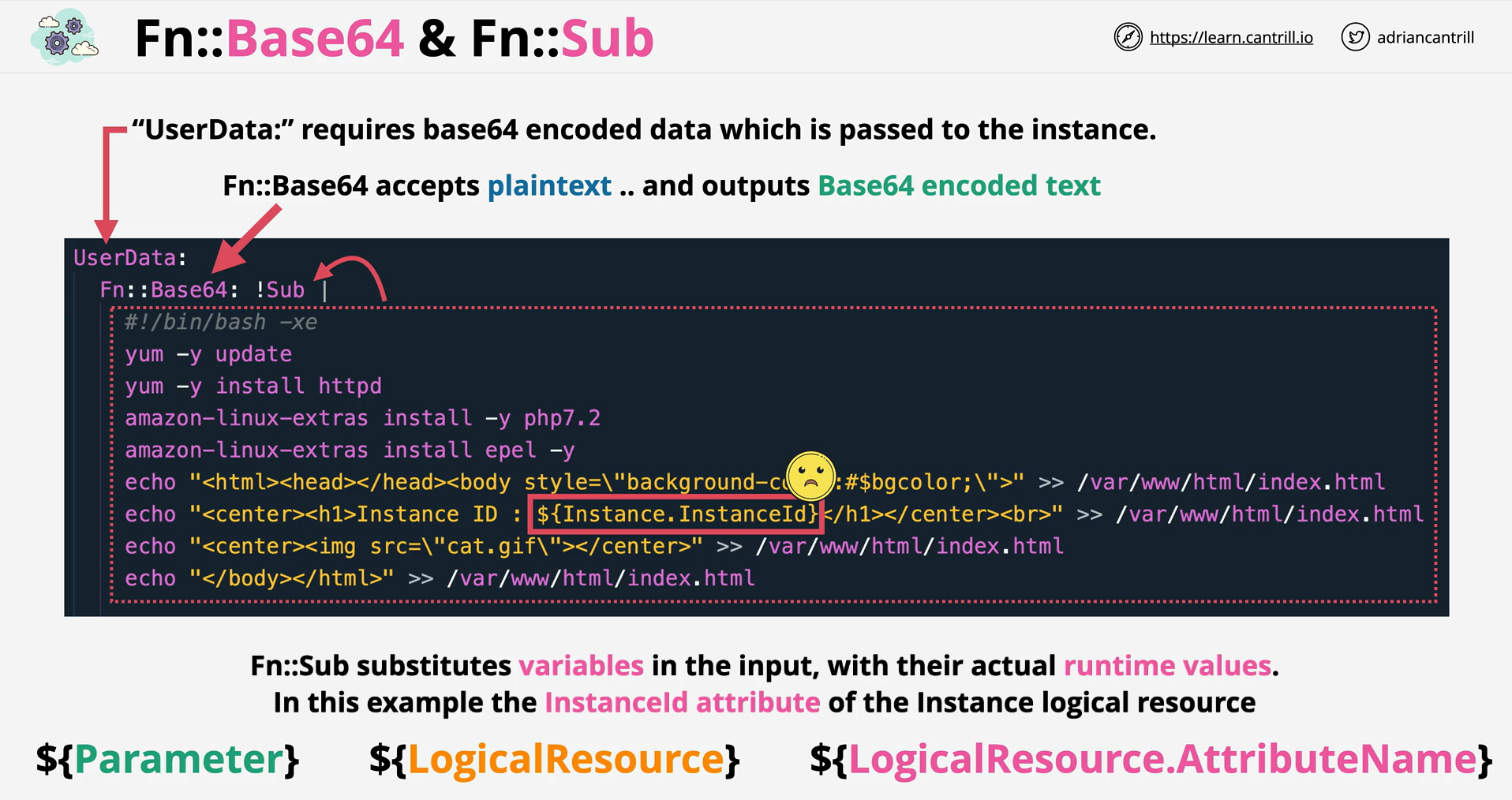
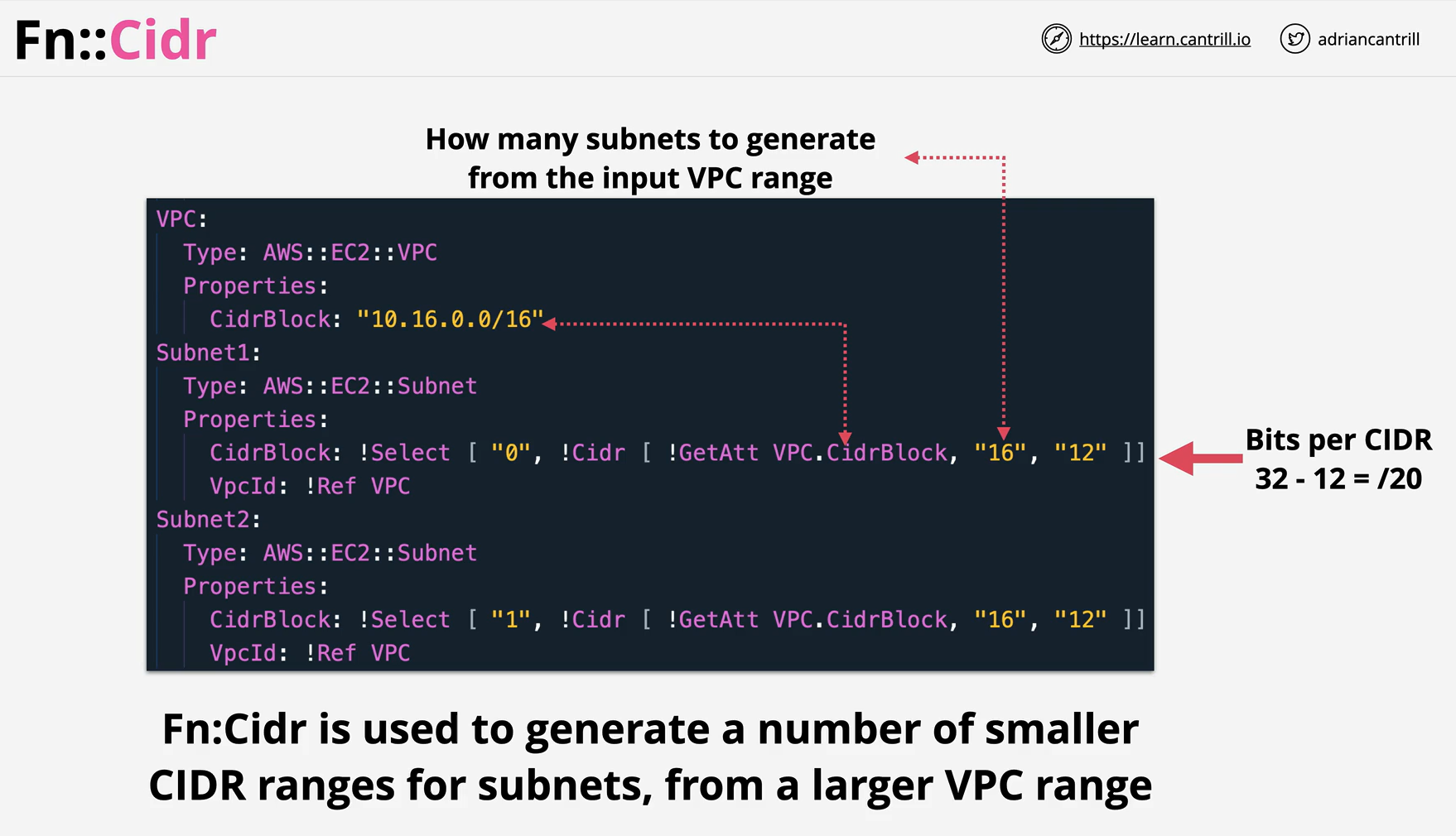
- AWS CloudFormation provides several built-in functions that help you manage your stacks. Use intrinsic functions in your templates to assign values to properties that are not available until runtime.
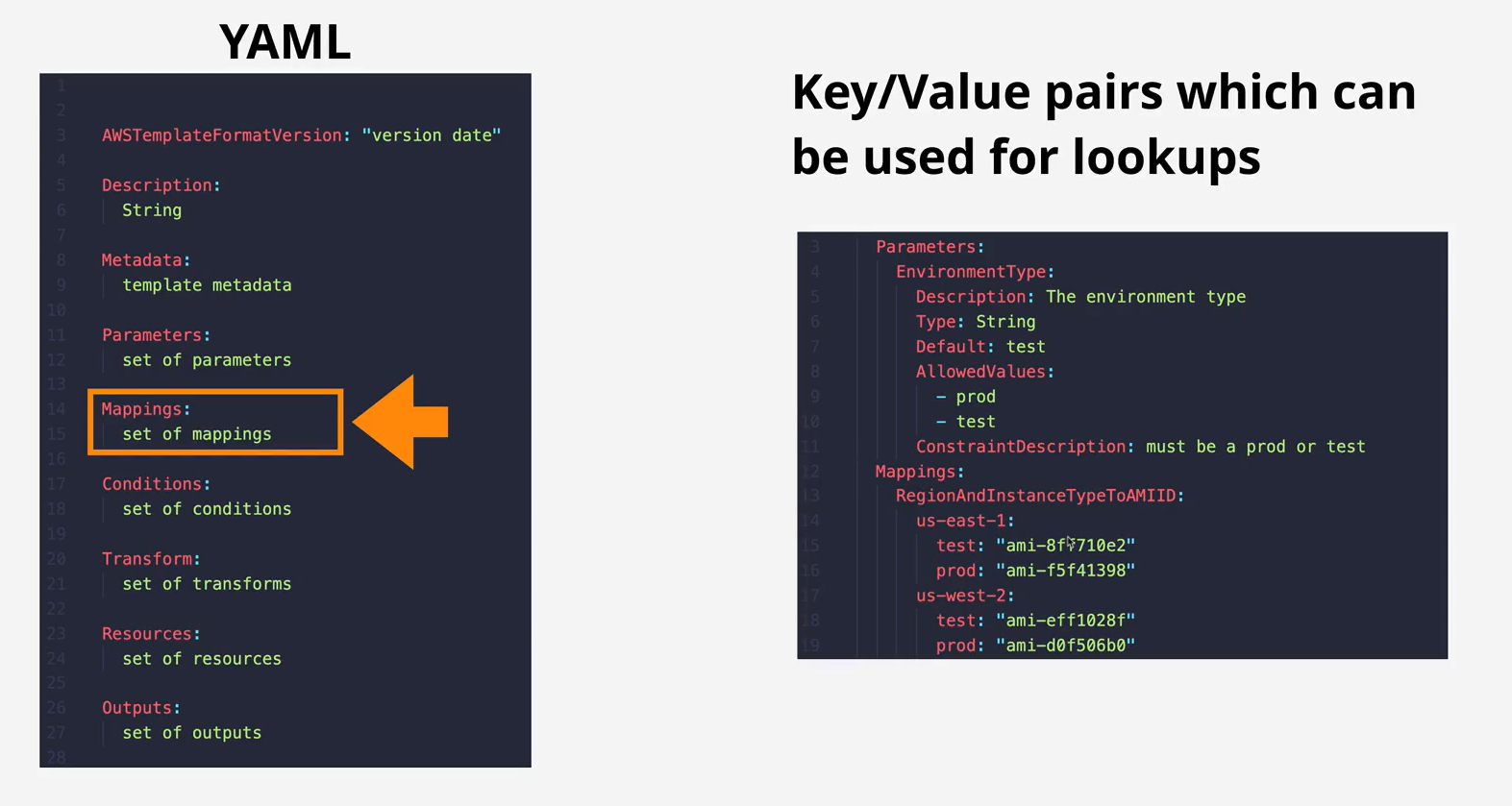
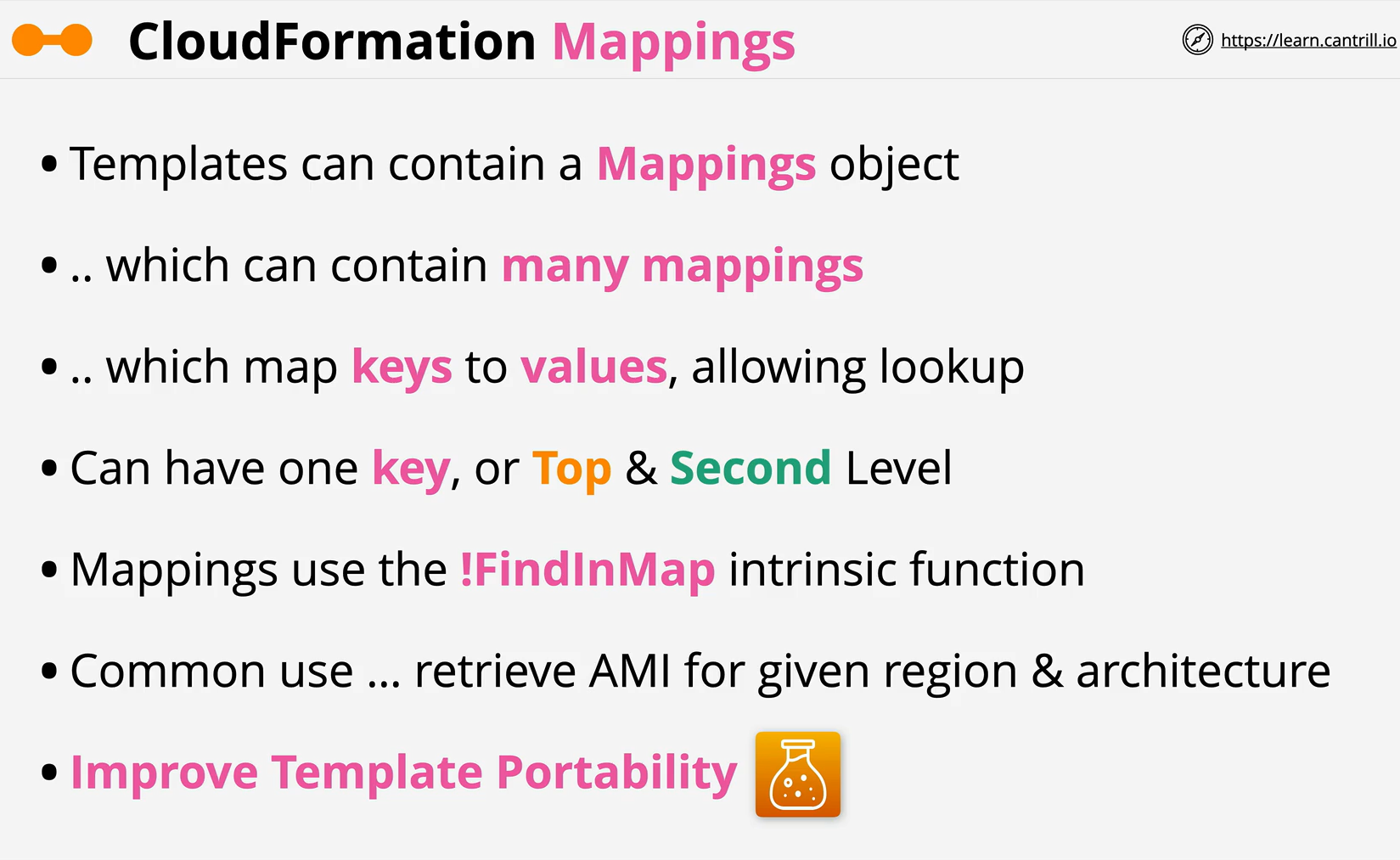
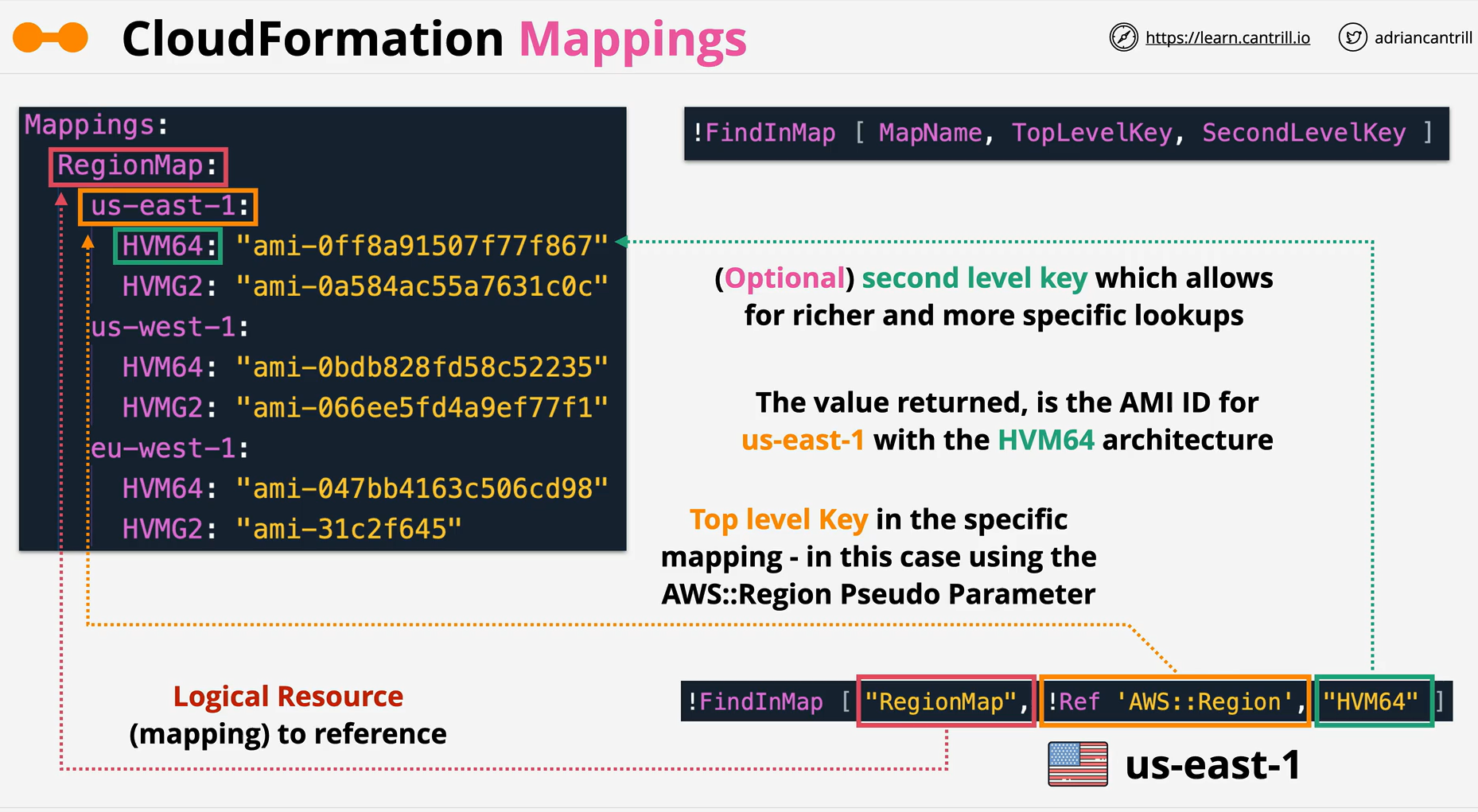
- The optional Mappings section matches a key to a corresponding set of named values. For example, if you want to set values based on a region, you can create a mapping that uses the region name as a key and contains the values you want to specify for each specific region. You use the Fn::FindInMap intrinsic function to retrieve values in a map.
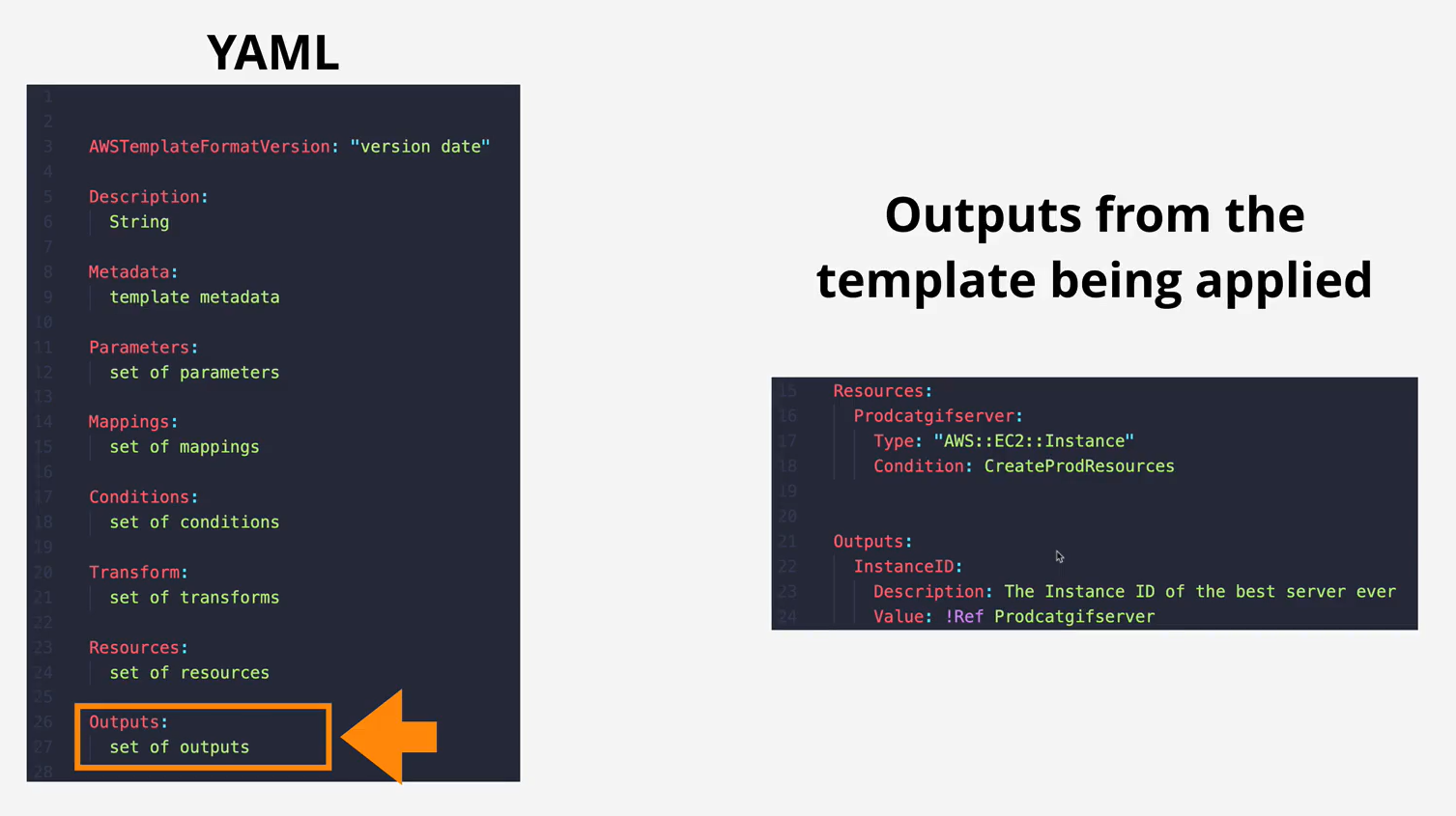
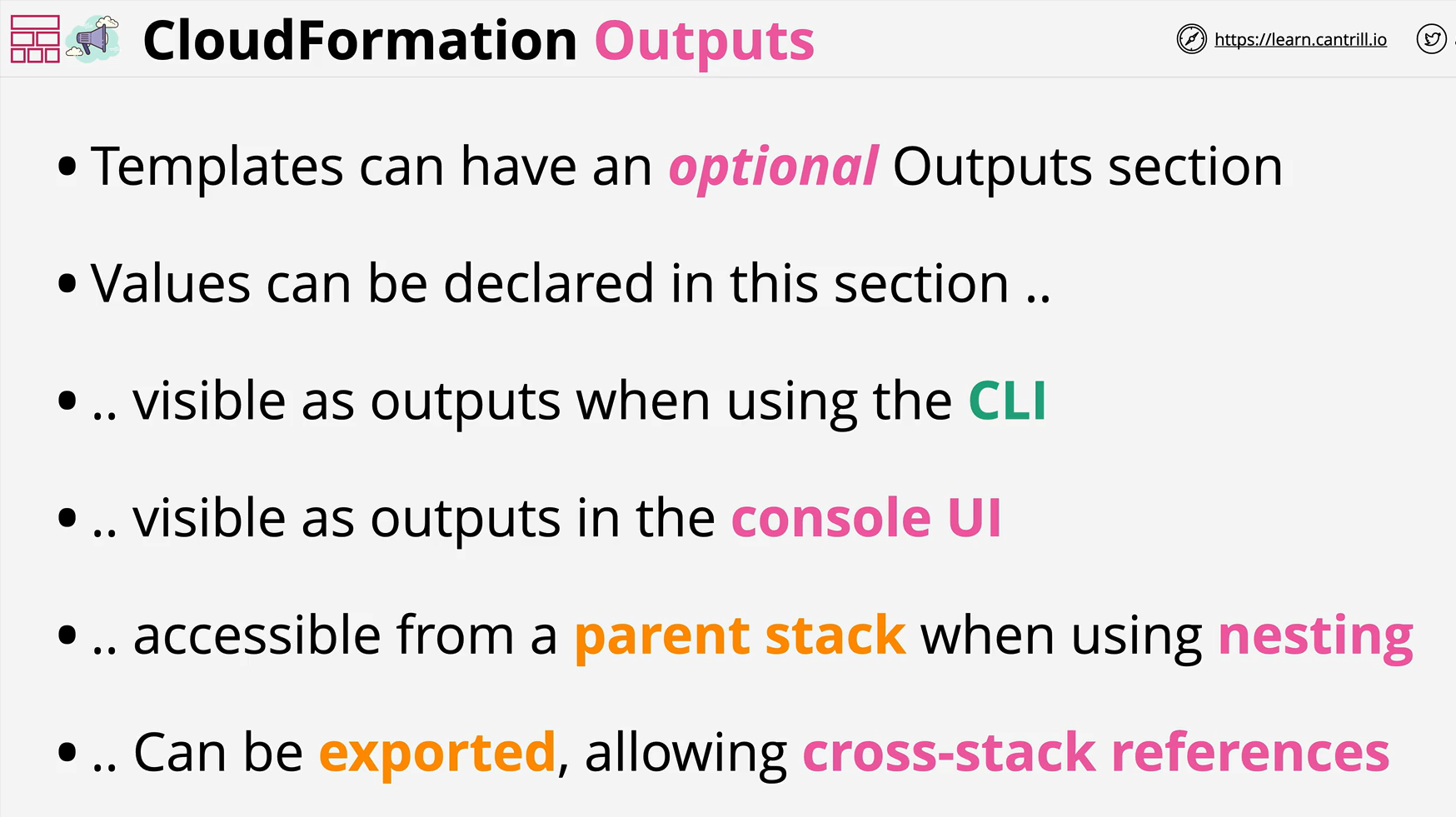
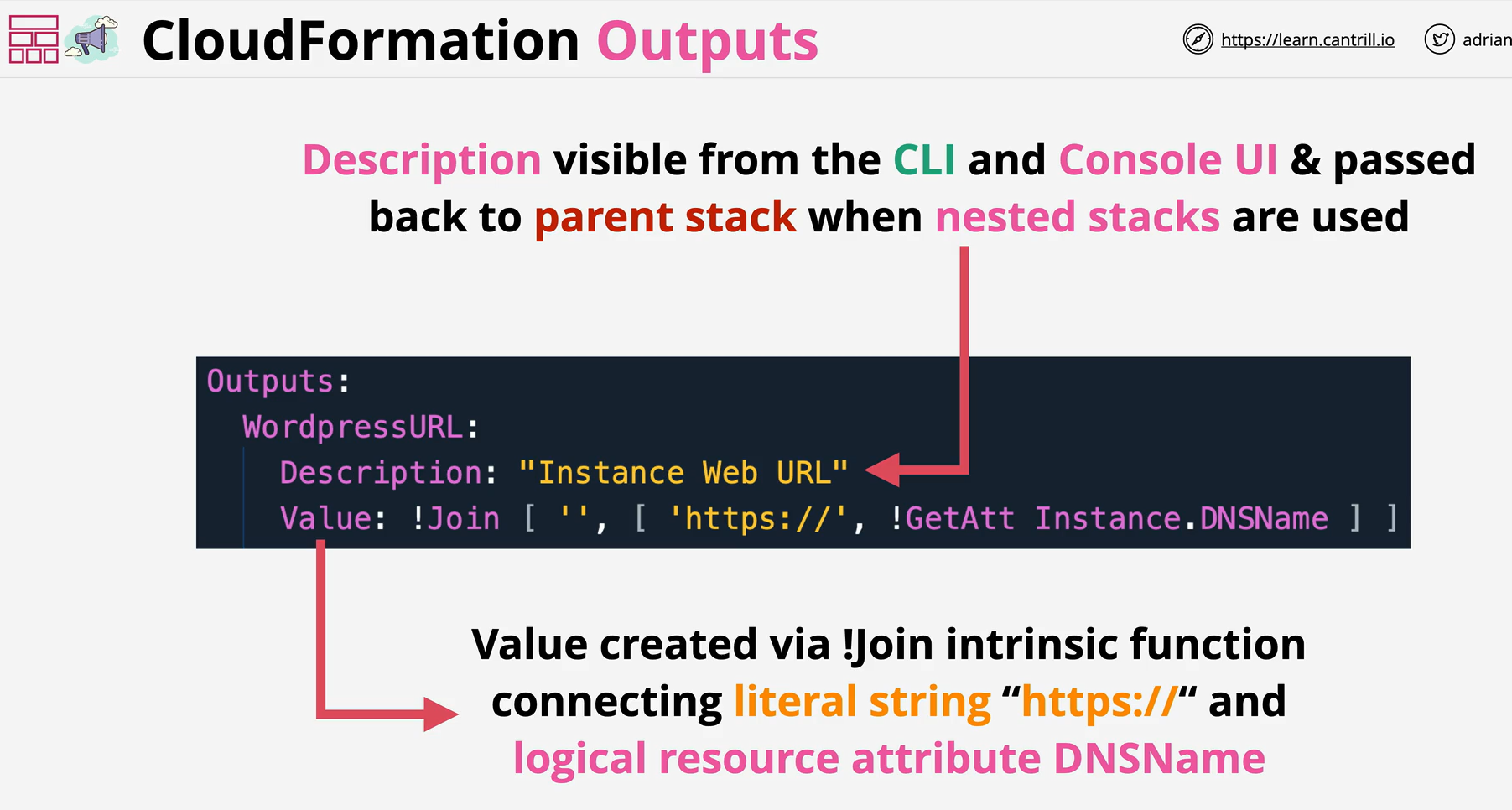
- The optional Outputs section declares output values that you can import into other stacks (to create cross-stack references), return in response (to describe stack calls), or view on the AWS CloudFormation console. For example, you can output the S3 bucket name for a stack to make the bucket easier to find.
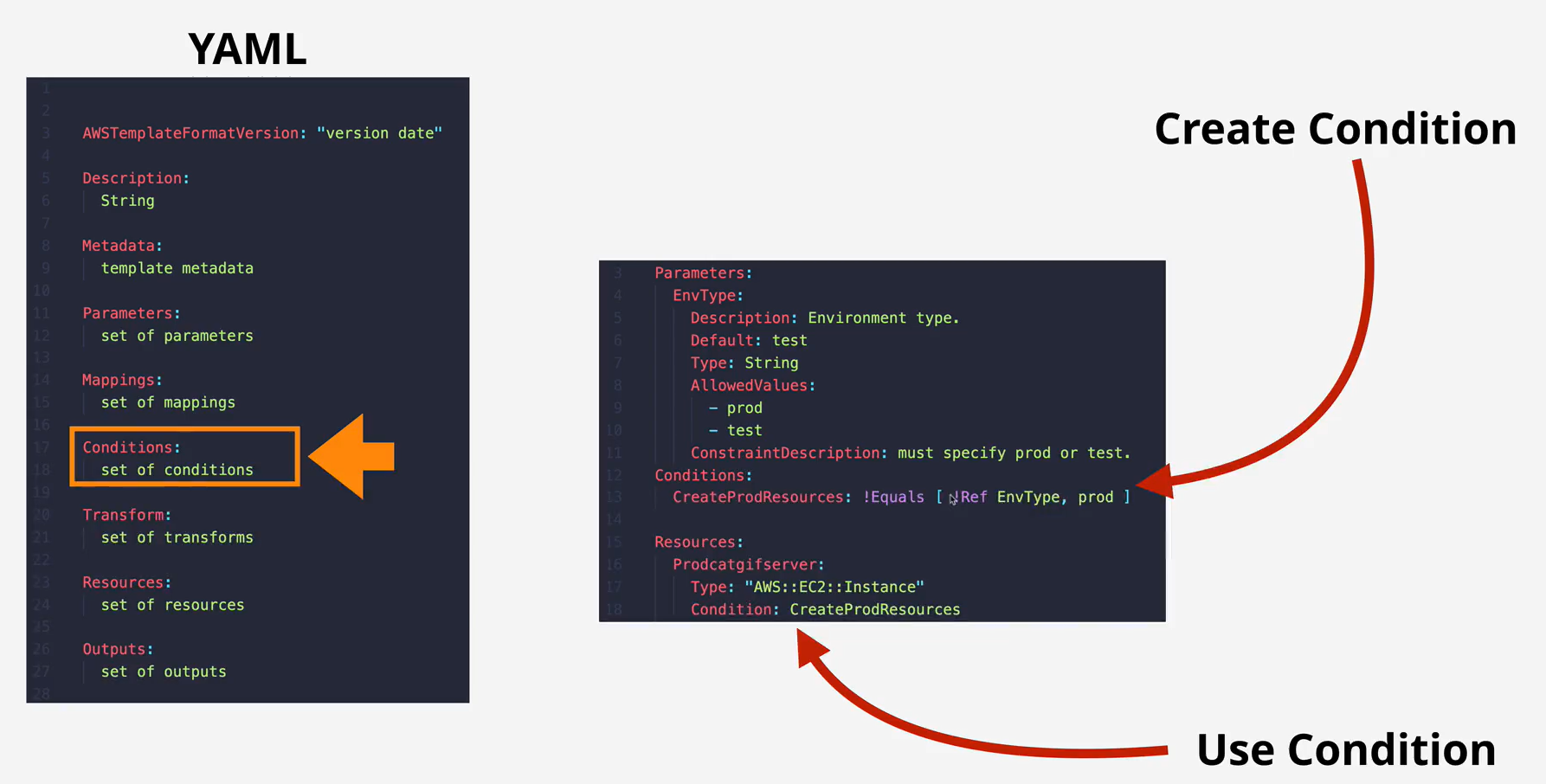
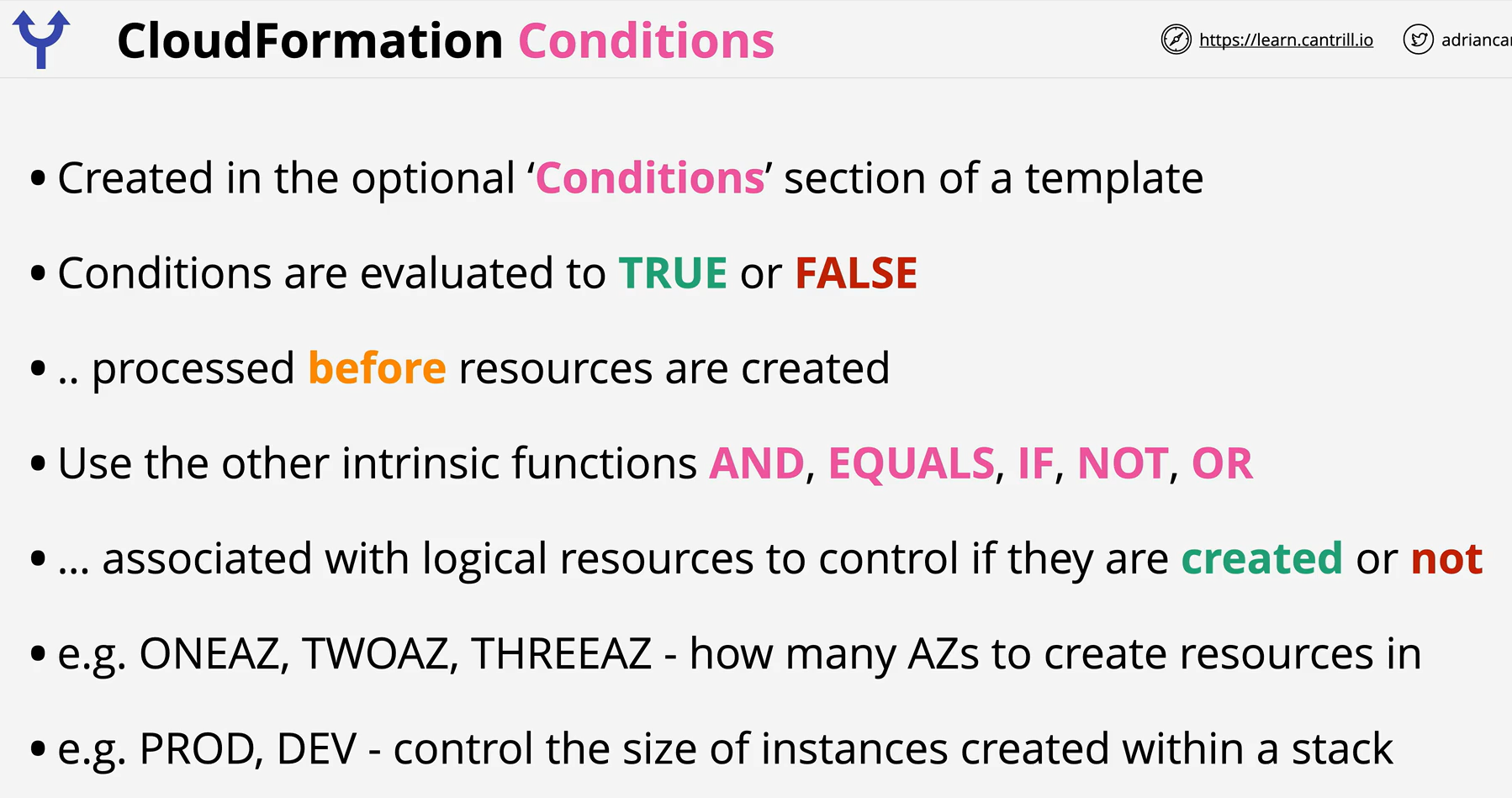
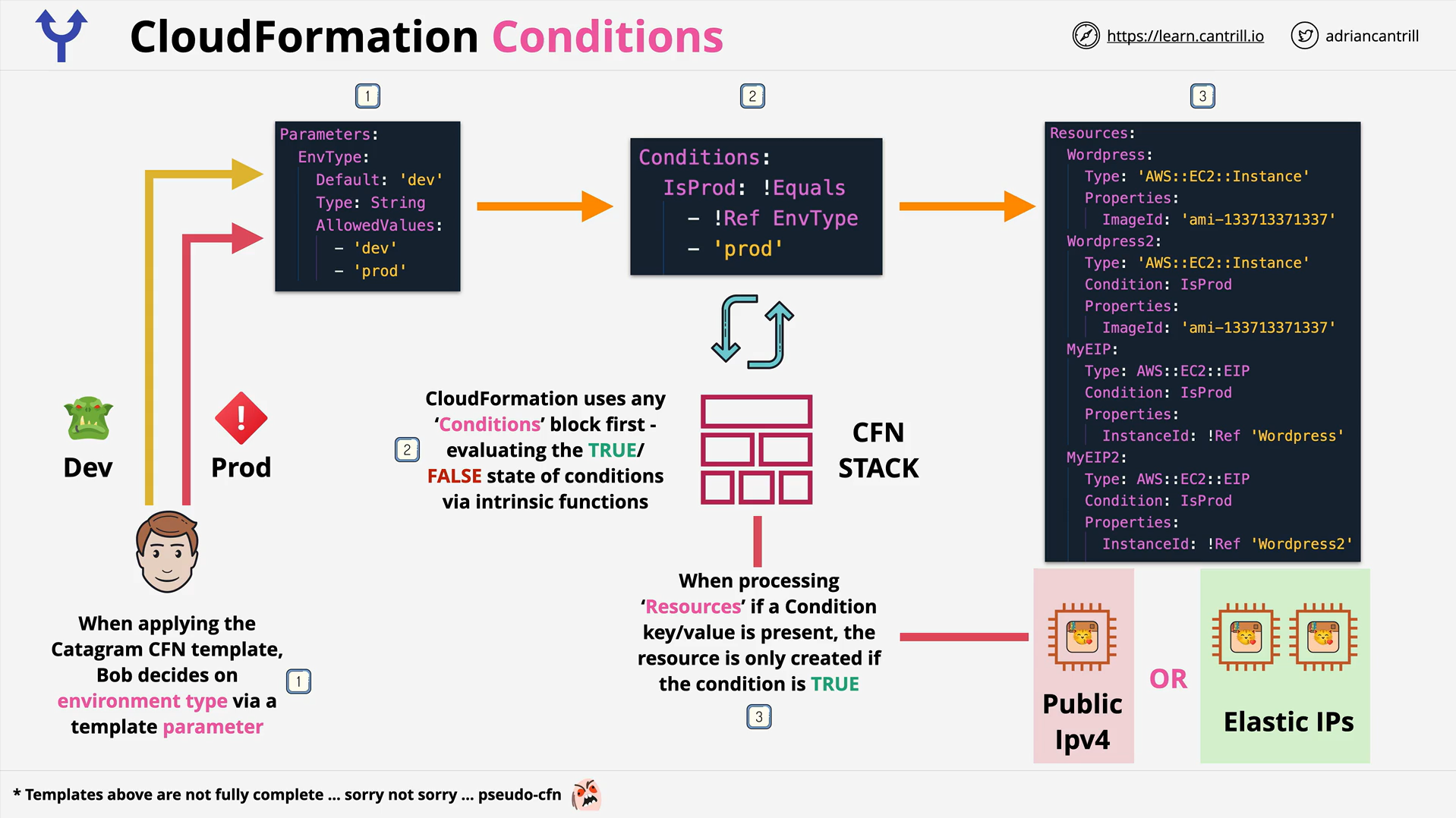
- The optional Conditions section contains statements that define the circumstances under which entities are created or configured. You might use conditions when you want to reuse a template that can create resources in different contexts, such as a test environment versus a production environment. In your template, you can add an EnvironmentType input parameter, which accepts either prod or test as inputs. Conditions are evaluated based on predefined pseudo parameters or input parameter values that you specify when you create or update a stack. Within each condition, you can reference another condition, a parameter value, or a mapping. After you define all your conditions, you can associate them with resources and resource properties in the Resources and Outputs sections of a template
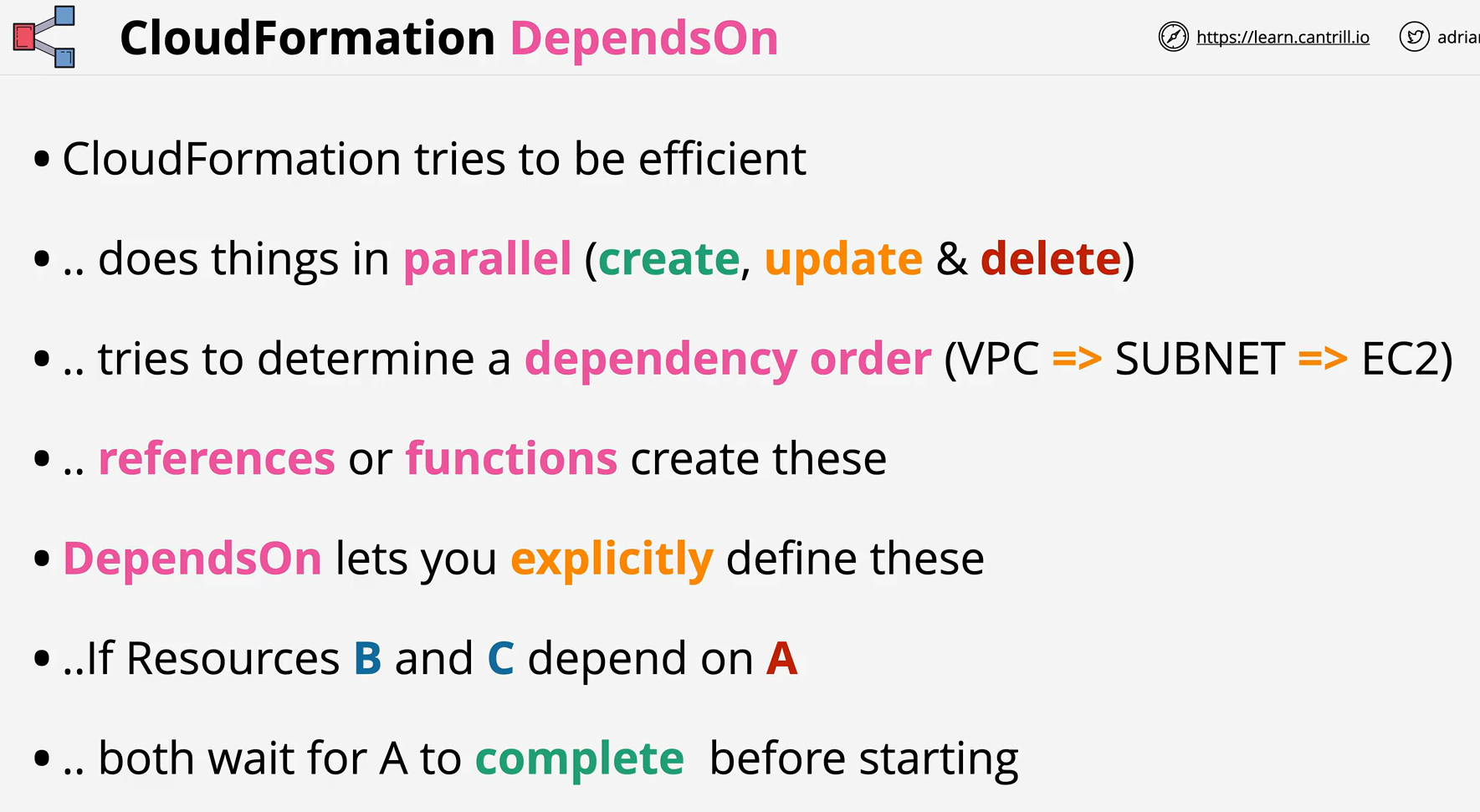
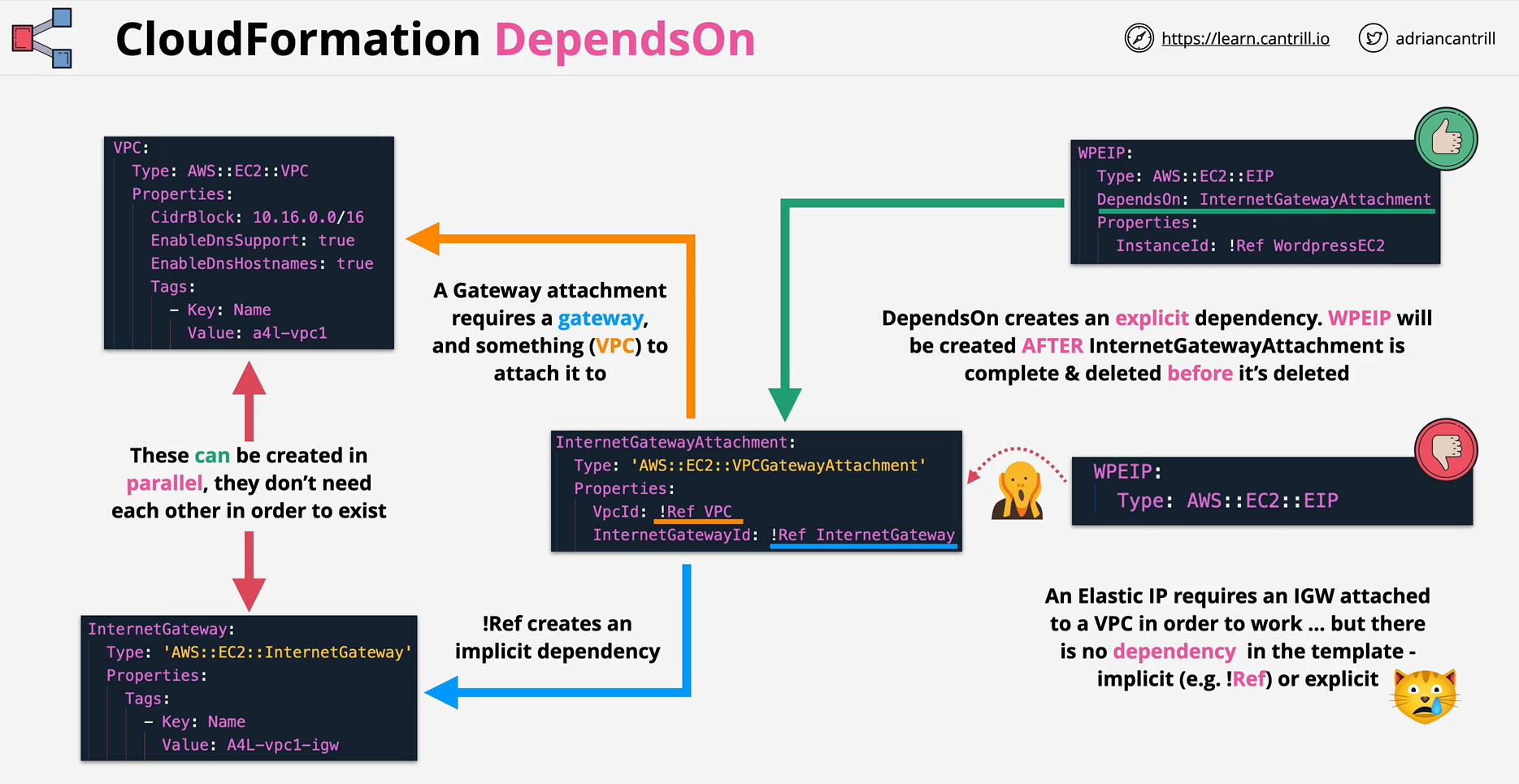
- With the DependsOn attribute you can specify that the creation of a specific resource follows another. When you add a DependsOn attribute to a resource, that resource is created only after the creation of the resource specified in theDependsOn attribute.
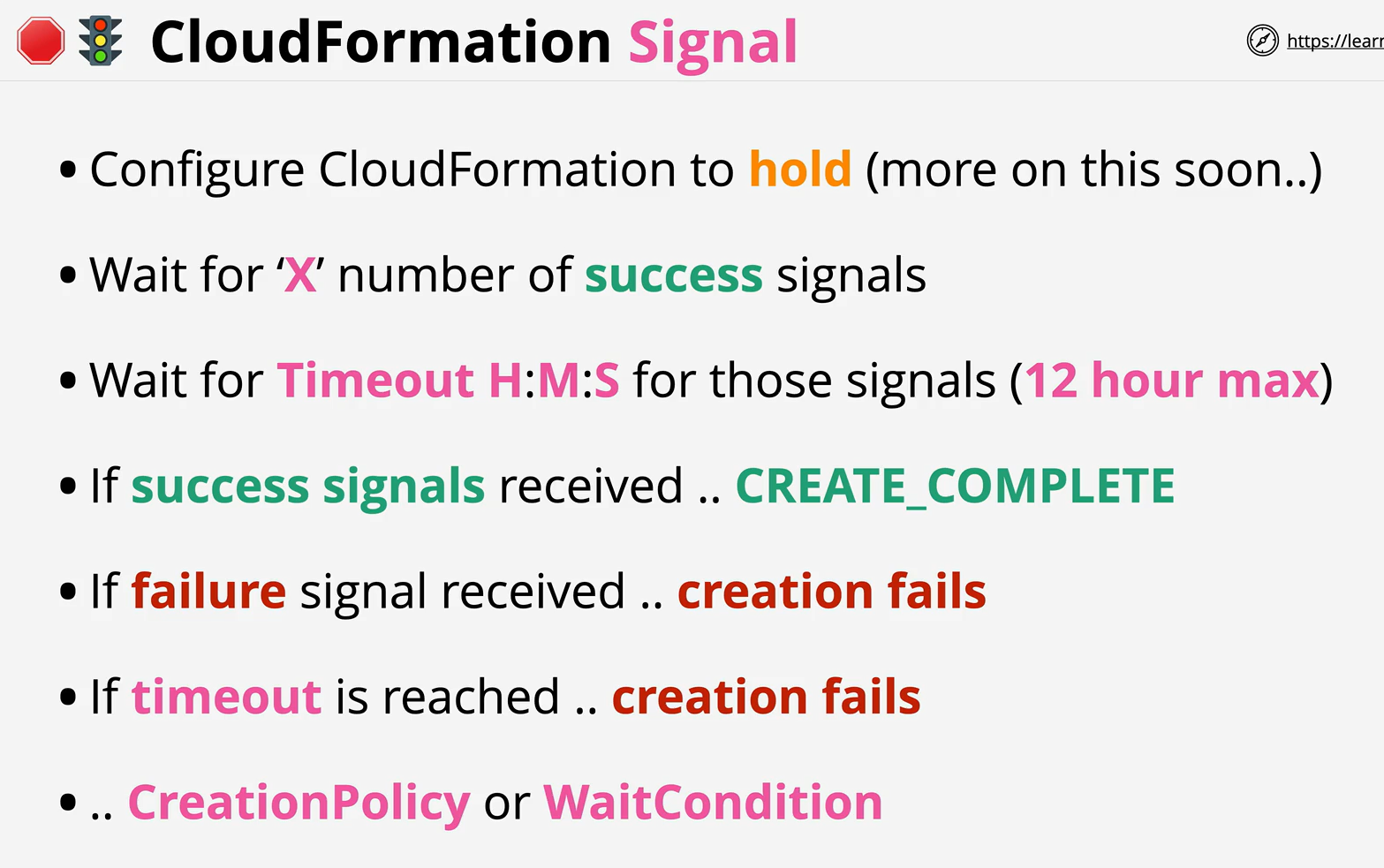
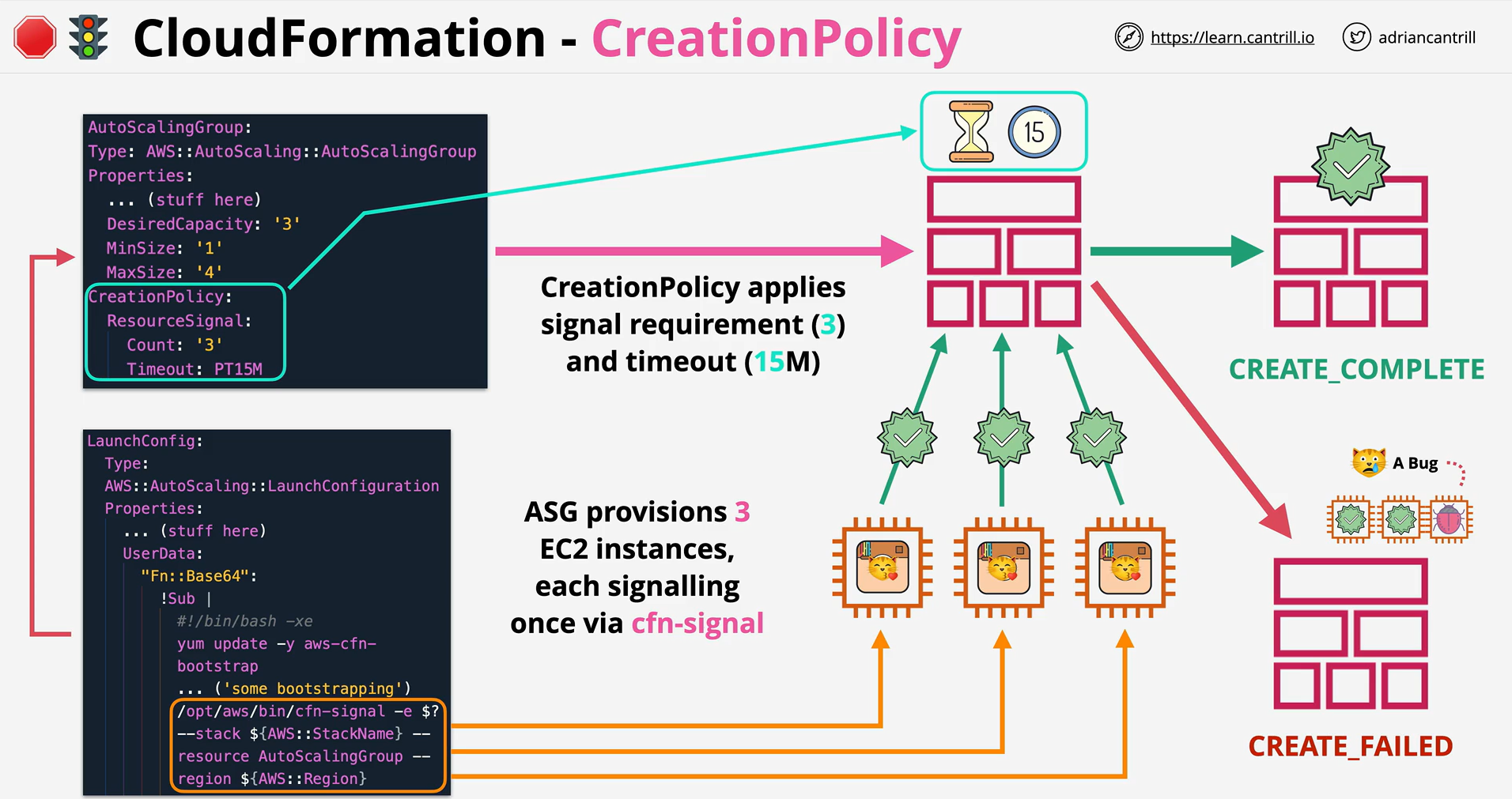
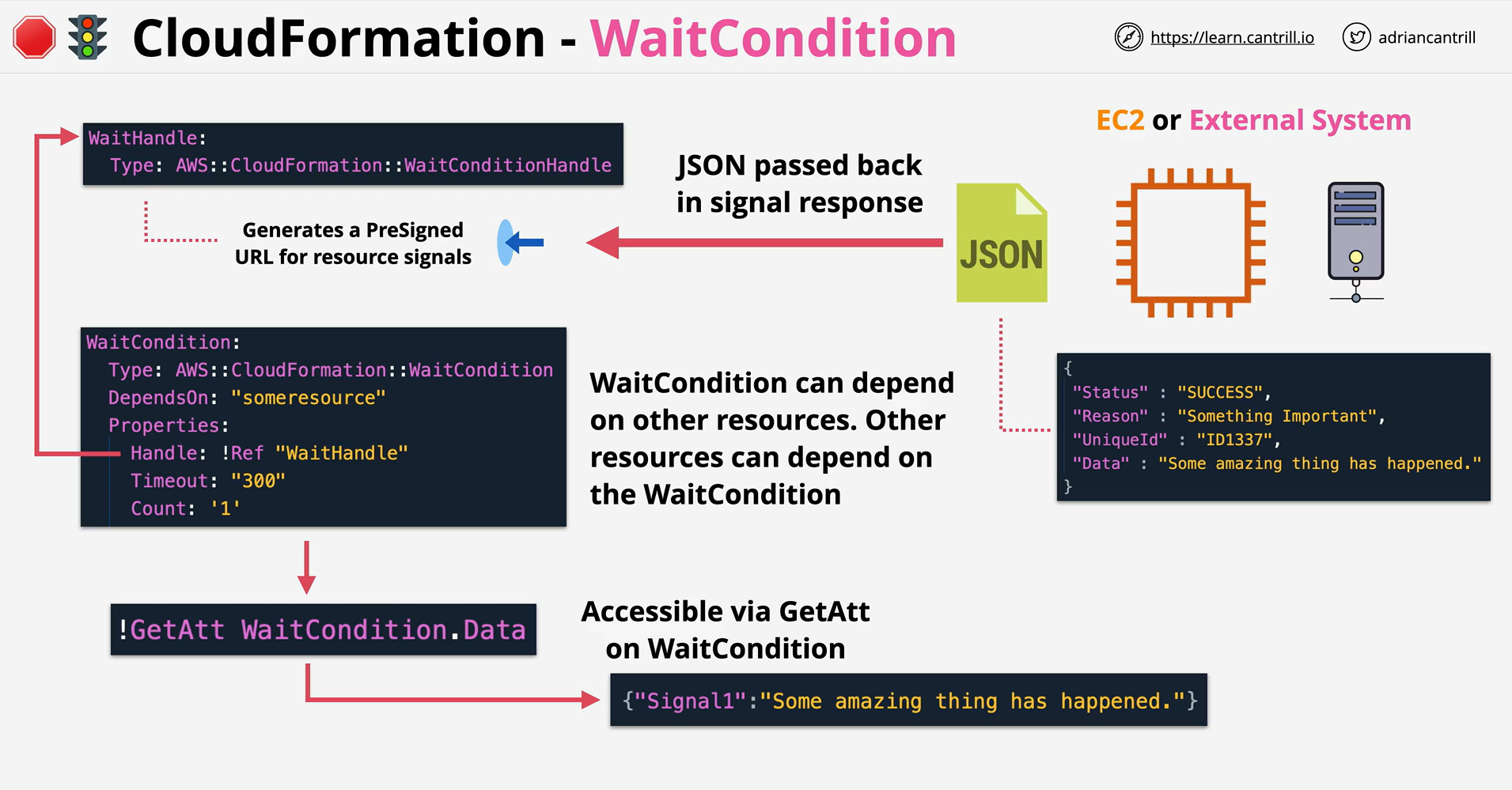
- CreationPolicy, WaitConditions and cfn-signal can all be used together to prevent the status if a resource from reaching create complete until AWS CloudFormation receives a specified number of success signals or the timeout period is exceeded.The cfn-signal helper script signals AWS CloudFormation to indicate whether Amazon EC2 instances have been successfully created or updated.
-
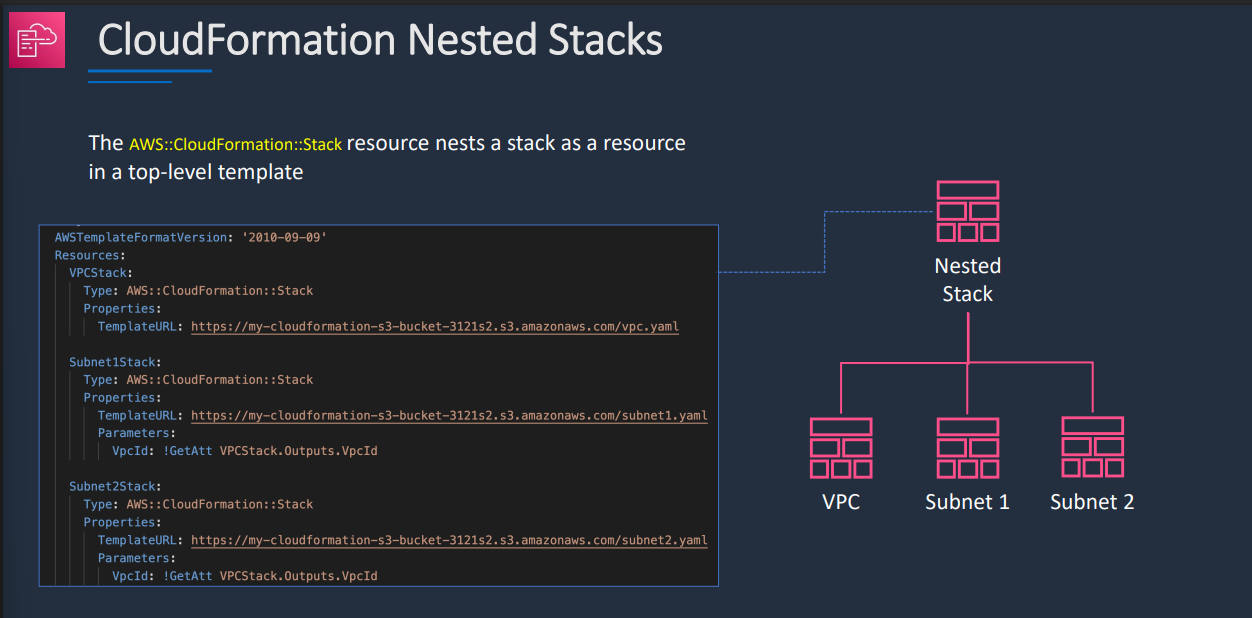
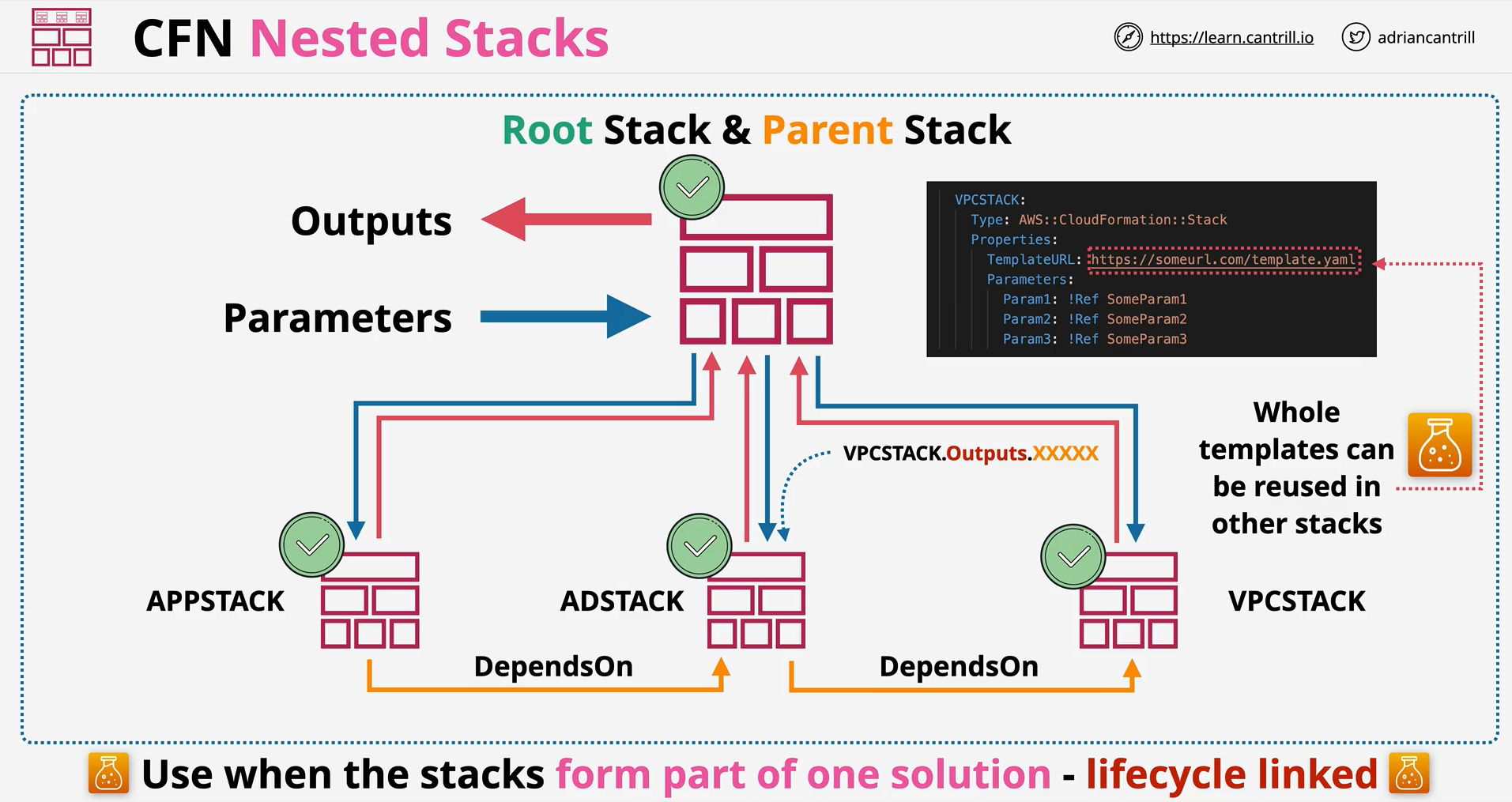
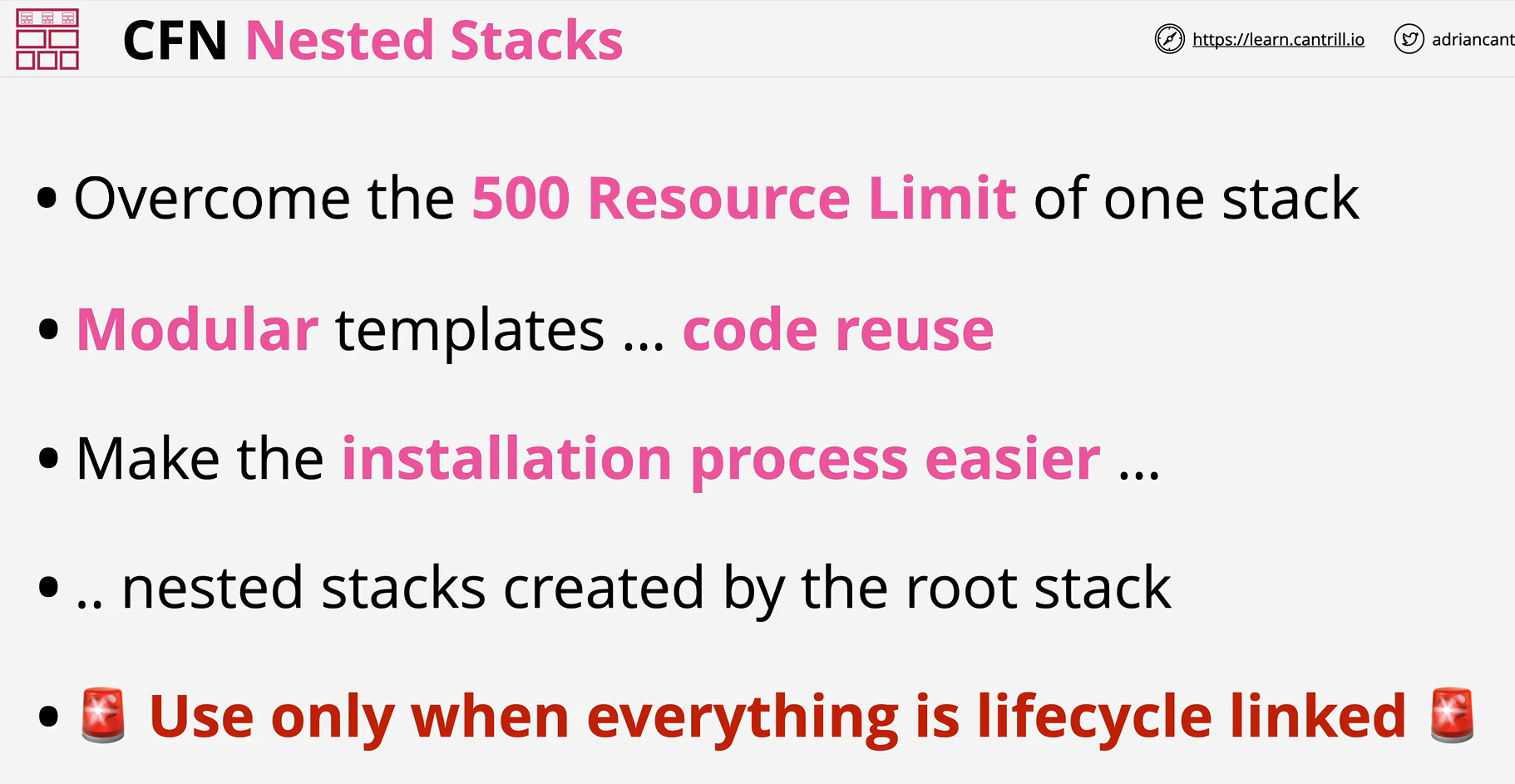
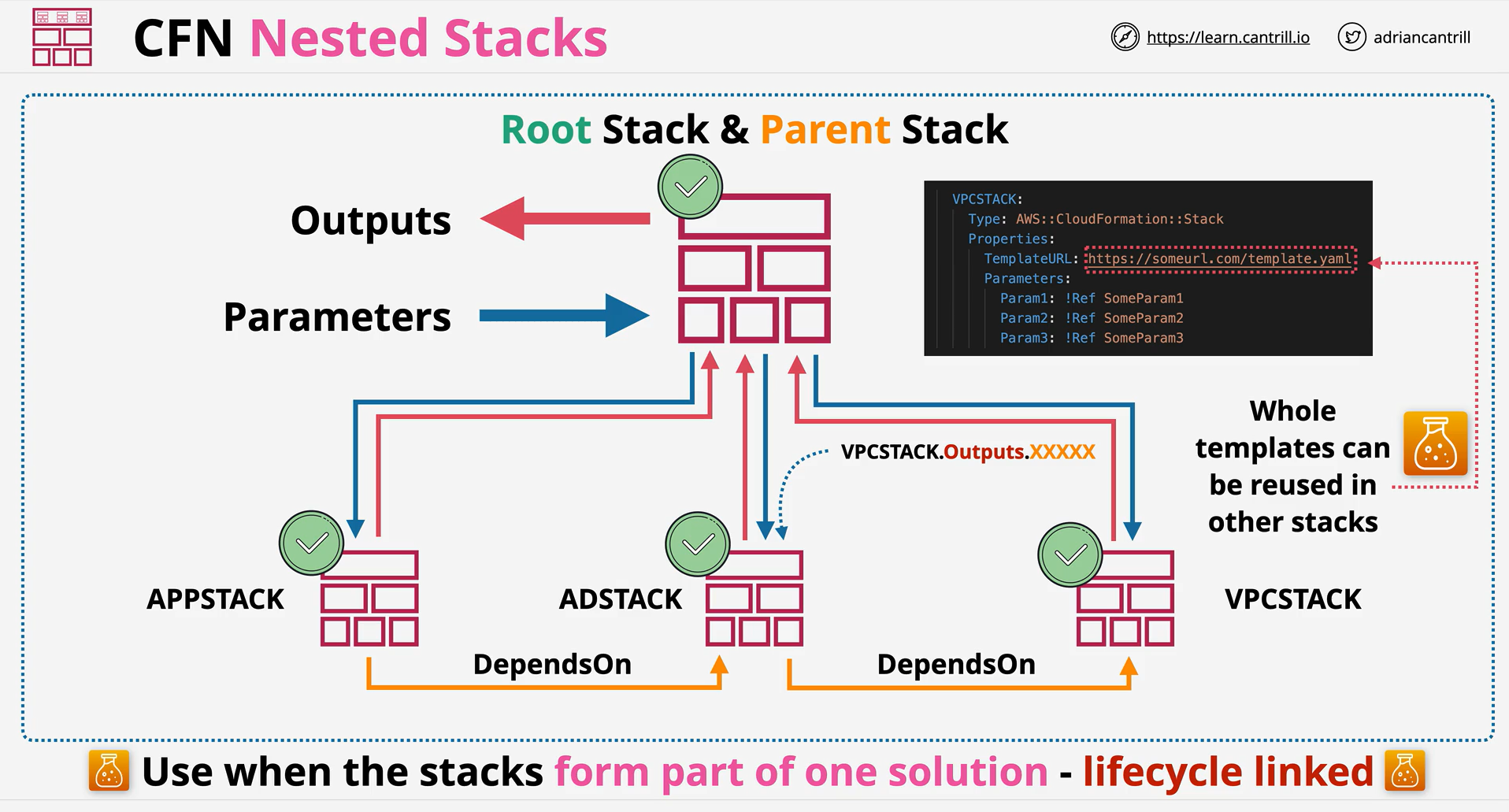
Nested stacks allow for a hierarchy of related templates to be combined to form a single product
-
A root stack can contain and create nested stacks .. each of which can be passed parameters and provide back outputs.
-
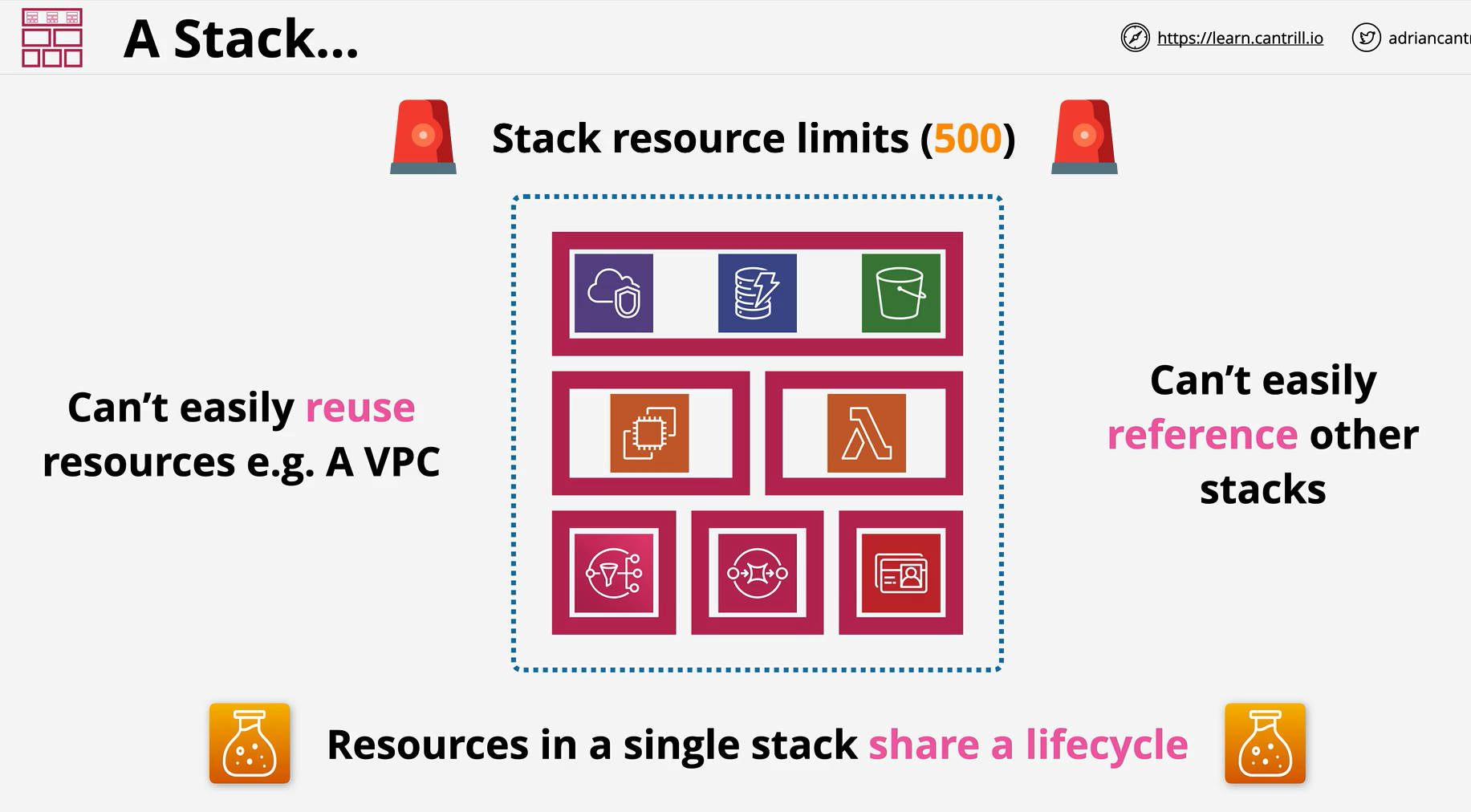
Nested stacks should be used when the resources being provisioned share a lifecycle and are related.
-
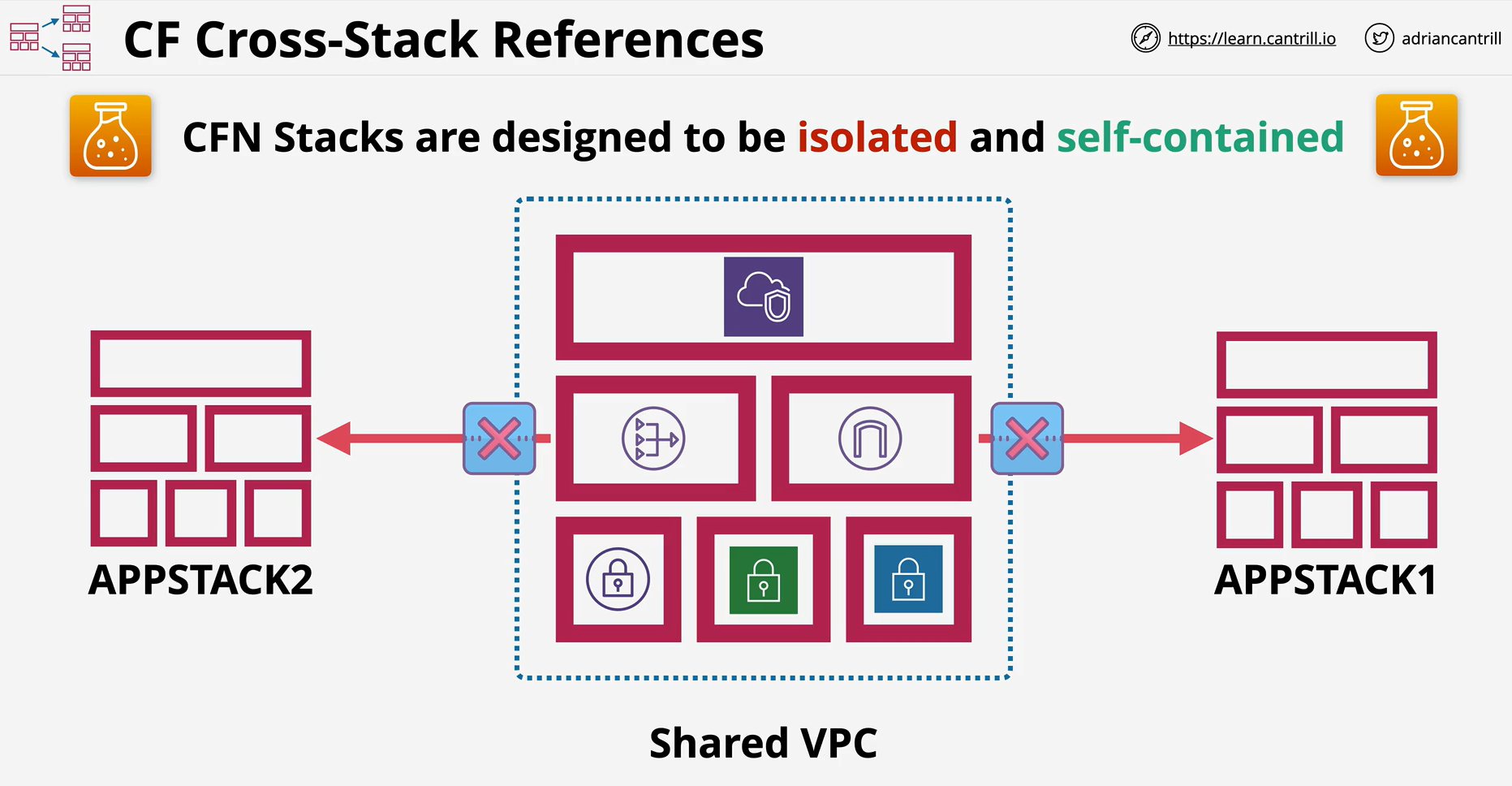
Cross stack references allow one stack to reference another
-
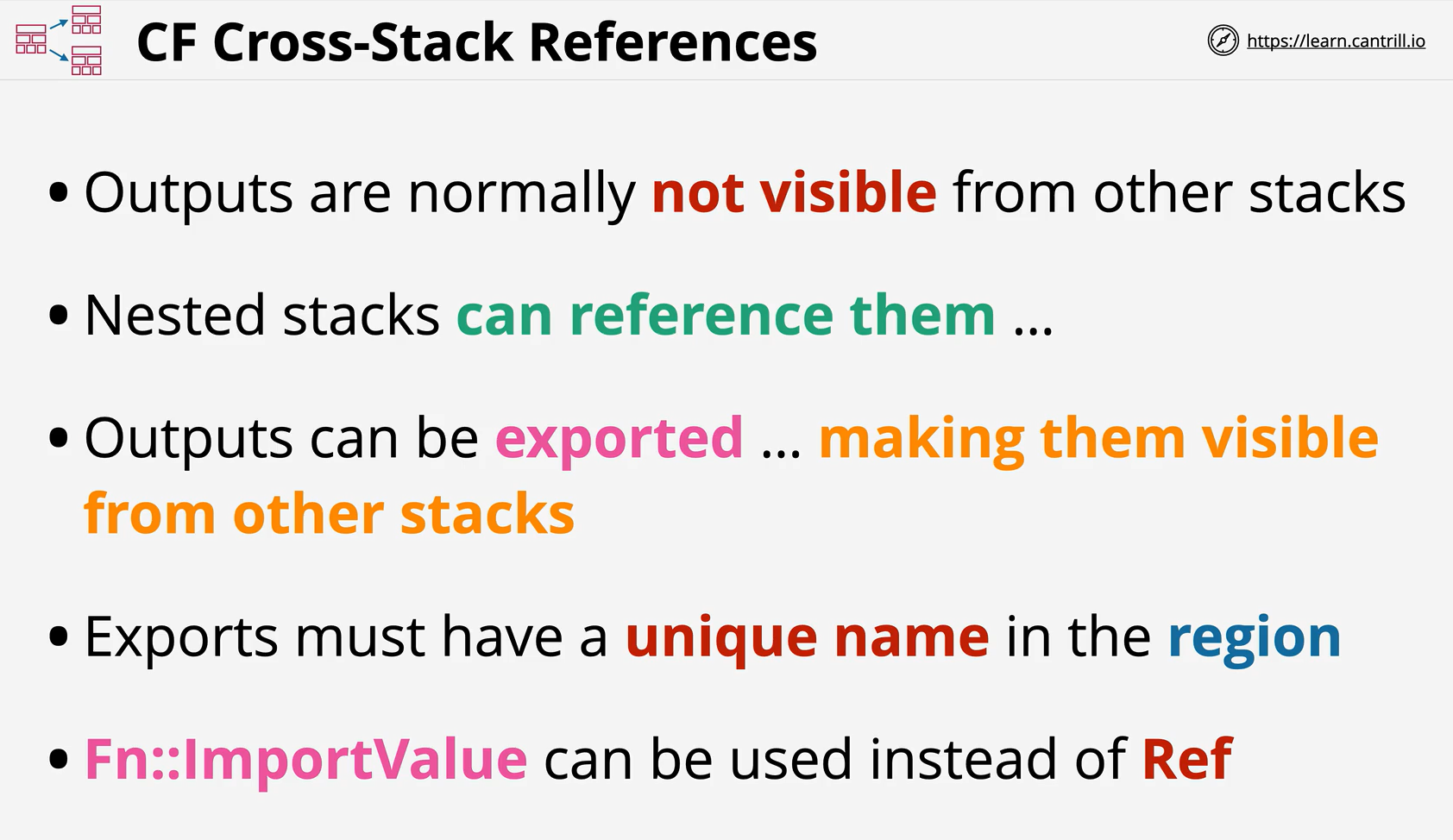
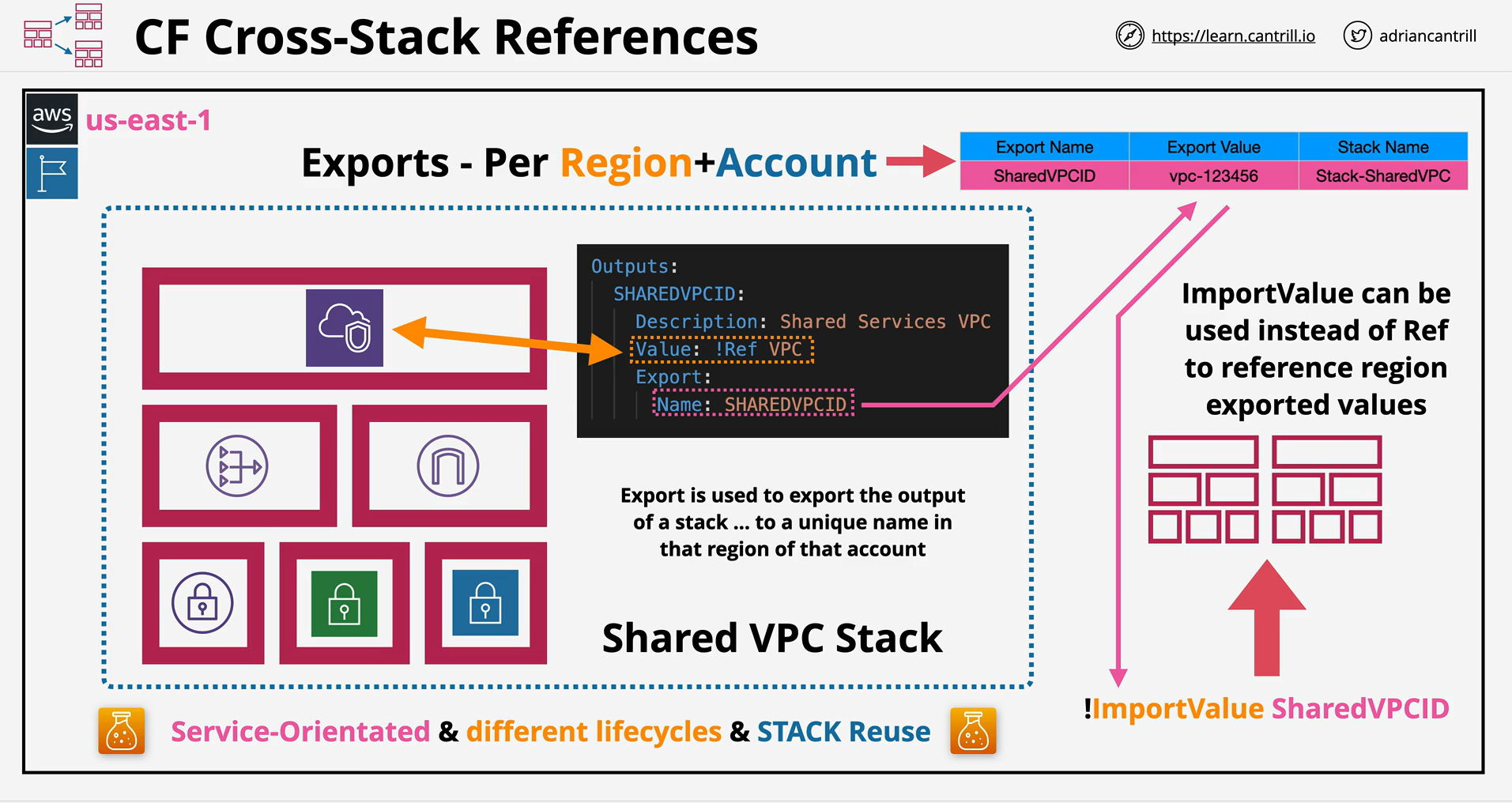
Outputs in one stack reference logical resources or attributes in that stack
-
They can be exported, and then using the !ImportValue intrinsic function, referenced from another stack.
-
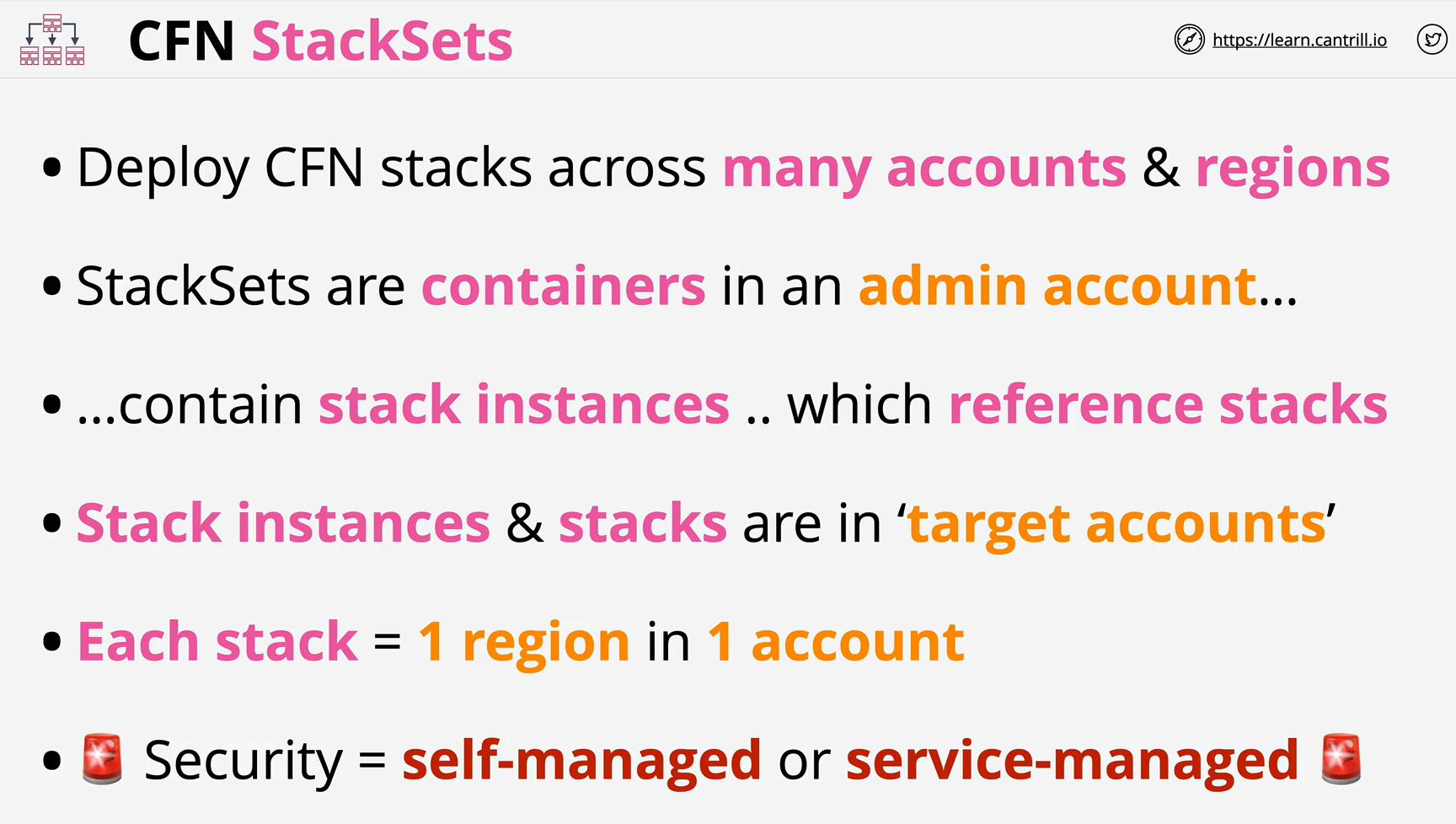
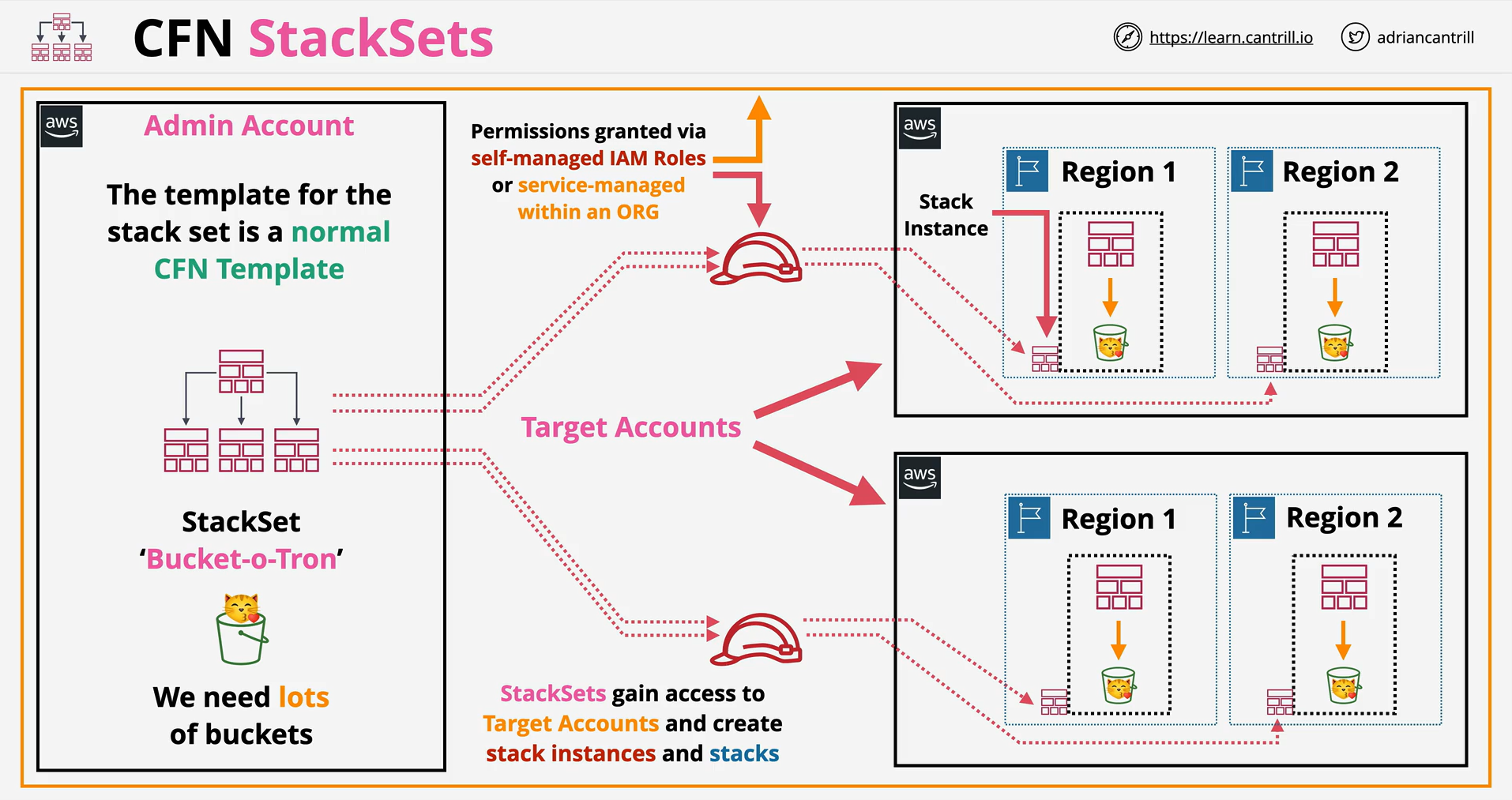
StackSets are a feature of CloudFormation allowing infrastructure to be deployed and managed across multiple regions and multiple accounts from a single location.
-
Additionally it adds a dynamic architecture - allowing automatic operations based on accounts being added or removed from the scope of a StackSet.
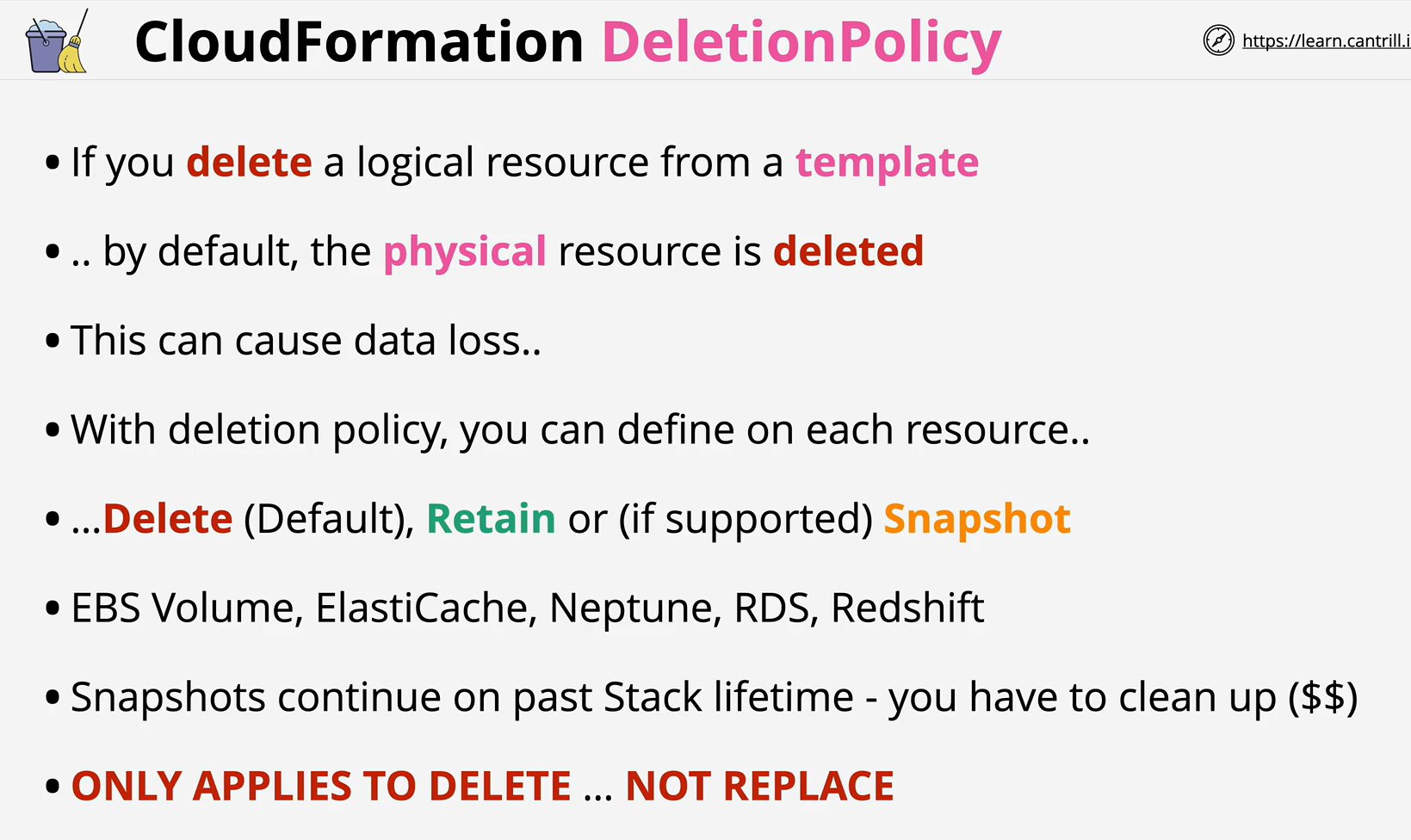
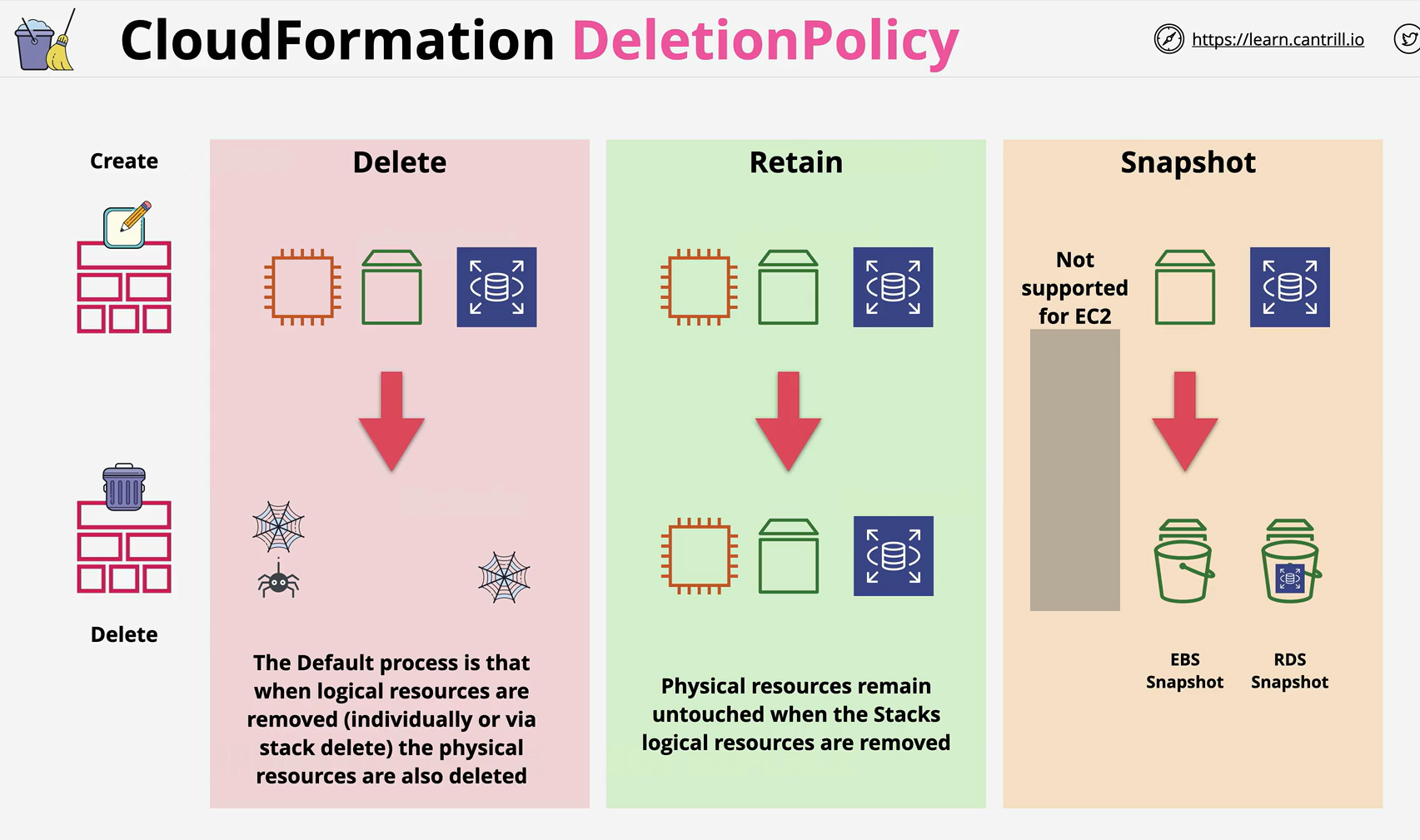
- With the DeletionPolicy attribute you can preserve or (in some cases) backup a resource when its stack is deleted. You specify a DeletionPolicy attribute for each resource that you want to control. If a resource has no DeletionPolicy attribute, AWS CloudFormation deletes the resource by default.
-
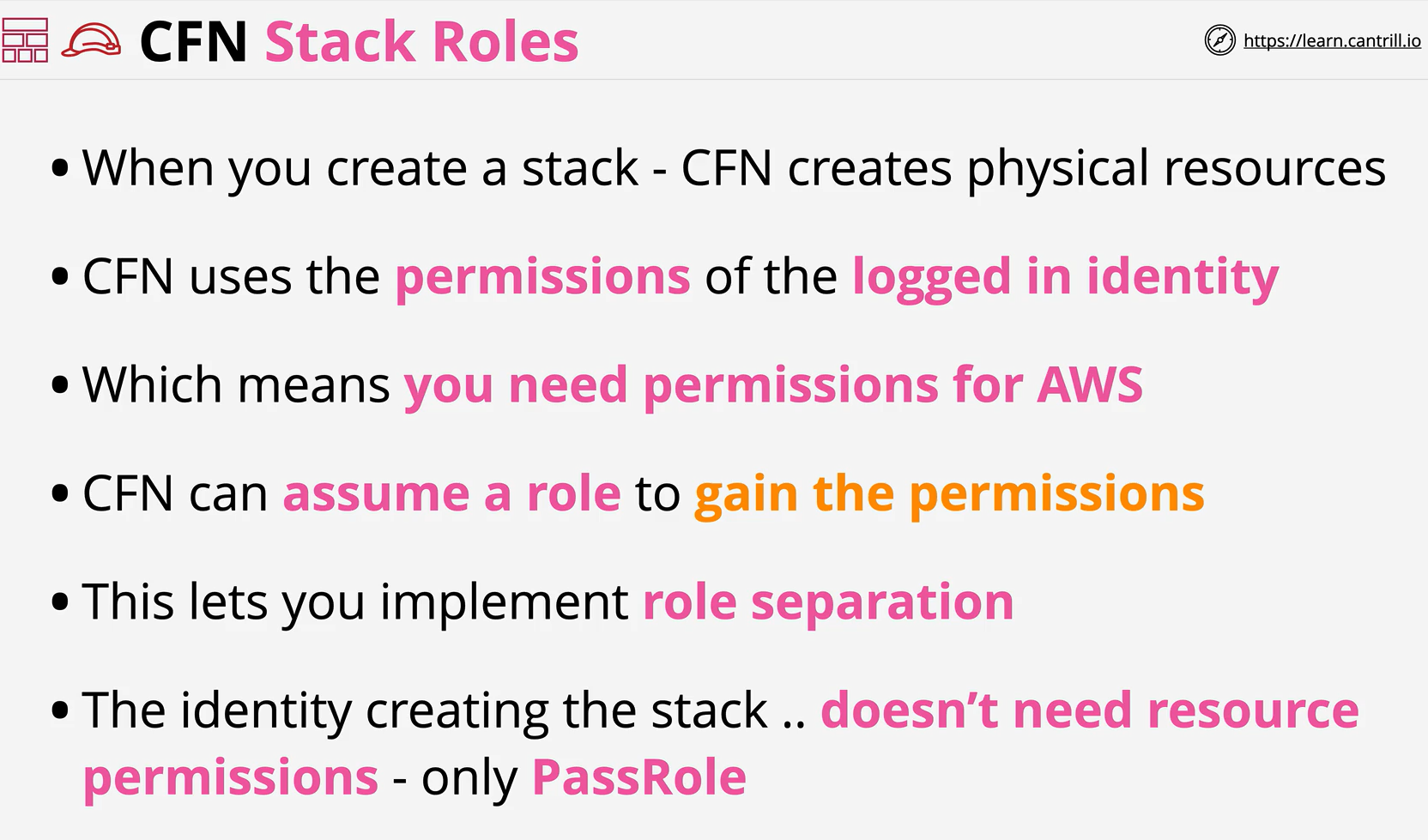
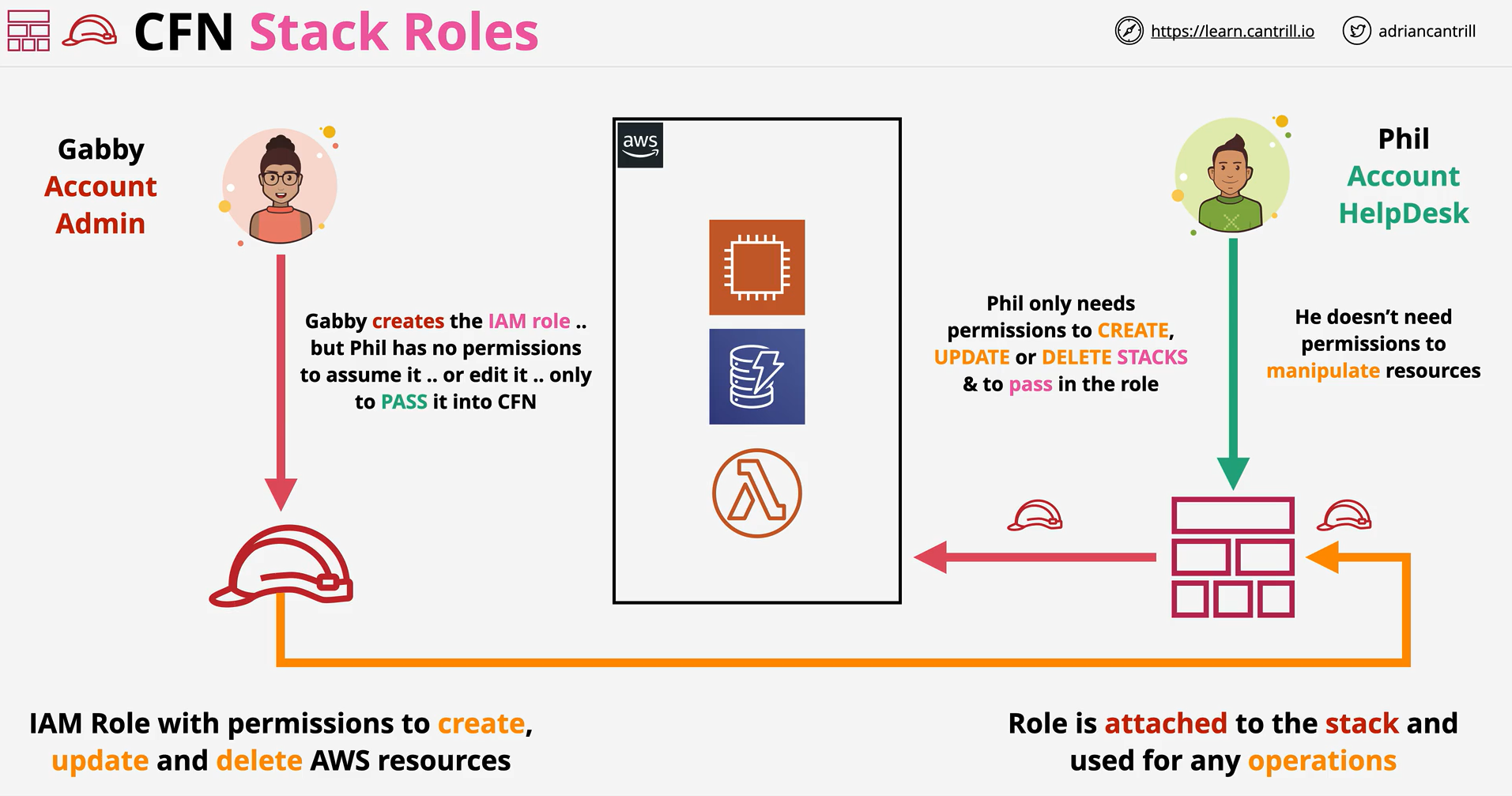
Stack roles allow an IAM role to be passed into the stack via PassRole
-
A stack uses this role, rather than the identity interacting with the stack to create, update and delete AWS resources.
-
It allows role separation and is a powerful security feature.
-
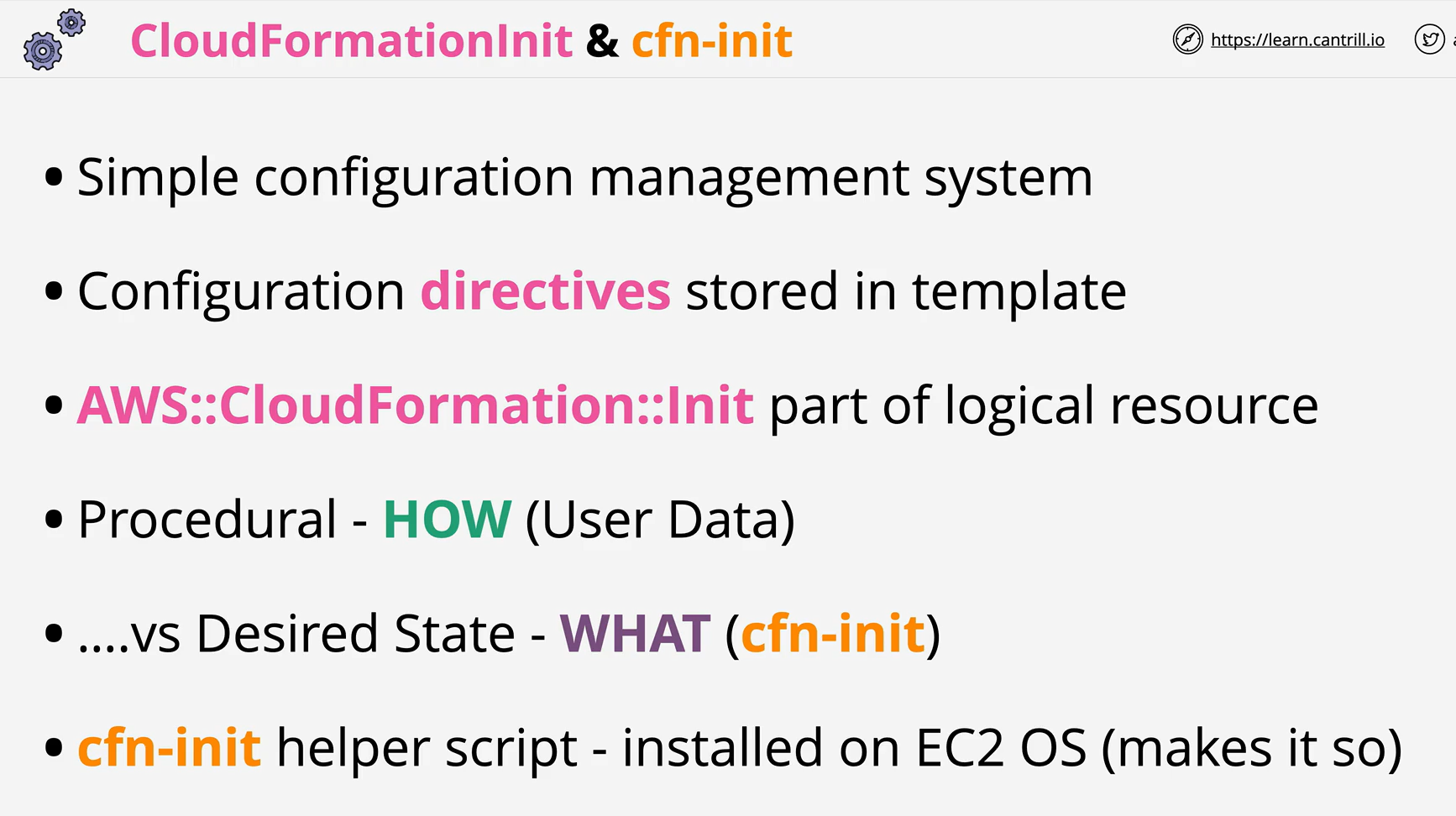
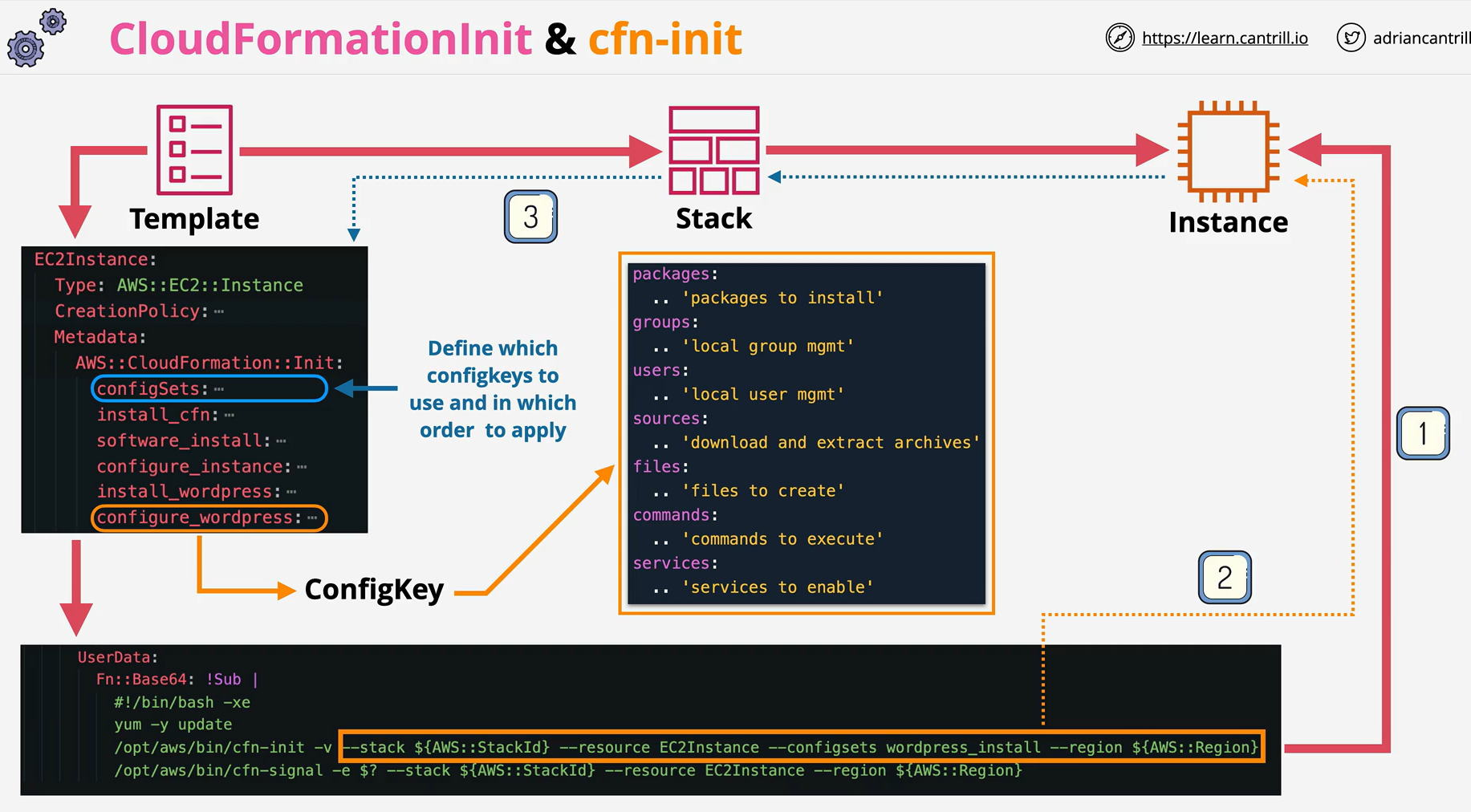
CloudFormationInit and cfn-init are tools which allow a desired state configuration management system to be implemented within CloudFormation
-
Use the AWS::CloudFormation::Init type to include metadata on an Amazon EC2 instance for the cfn-init helper script. If your template calls the cfn-init script, the script looks for resource metadata rooted in the AWS::CloudFormation::Init metadata key. cfn-init supports all metadata types for Linux systems & It supports some metadata types for Windows
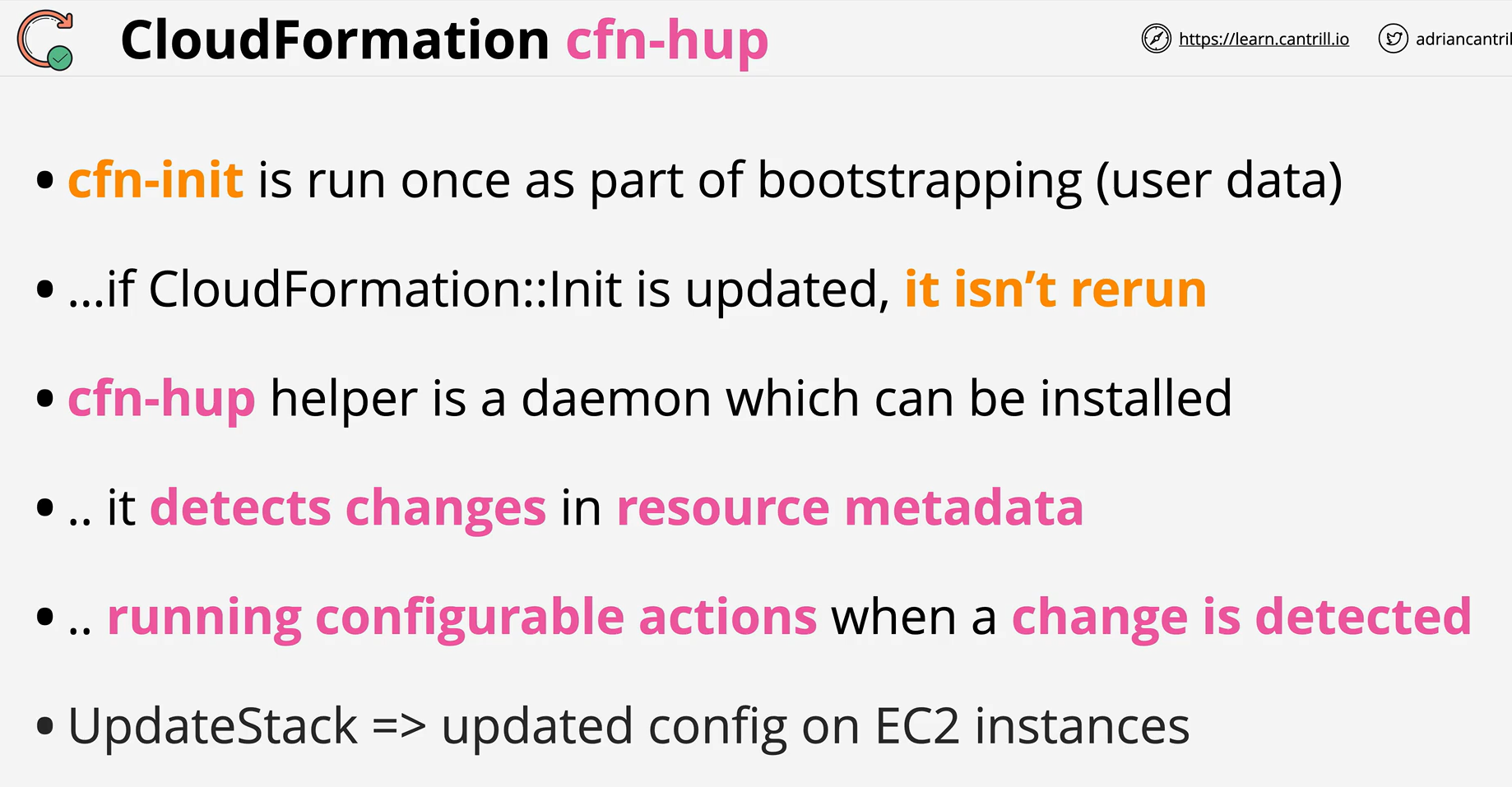
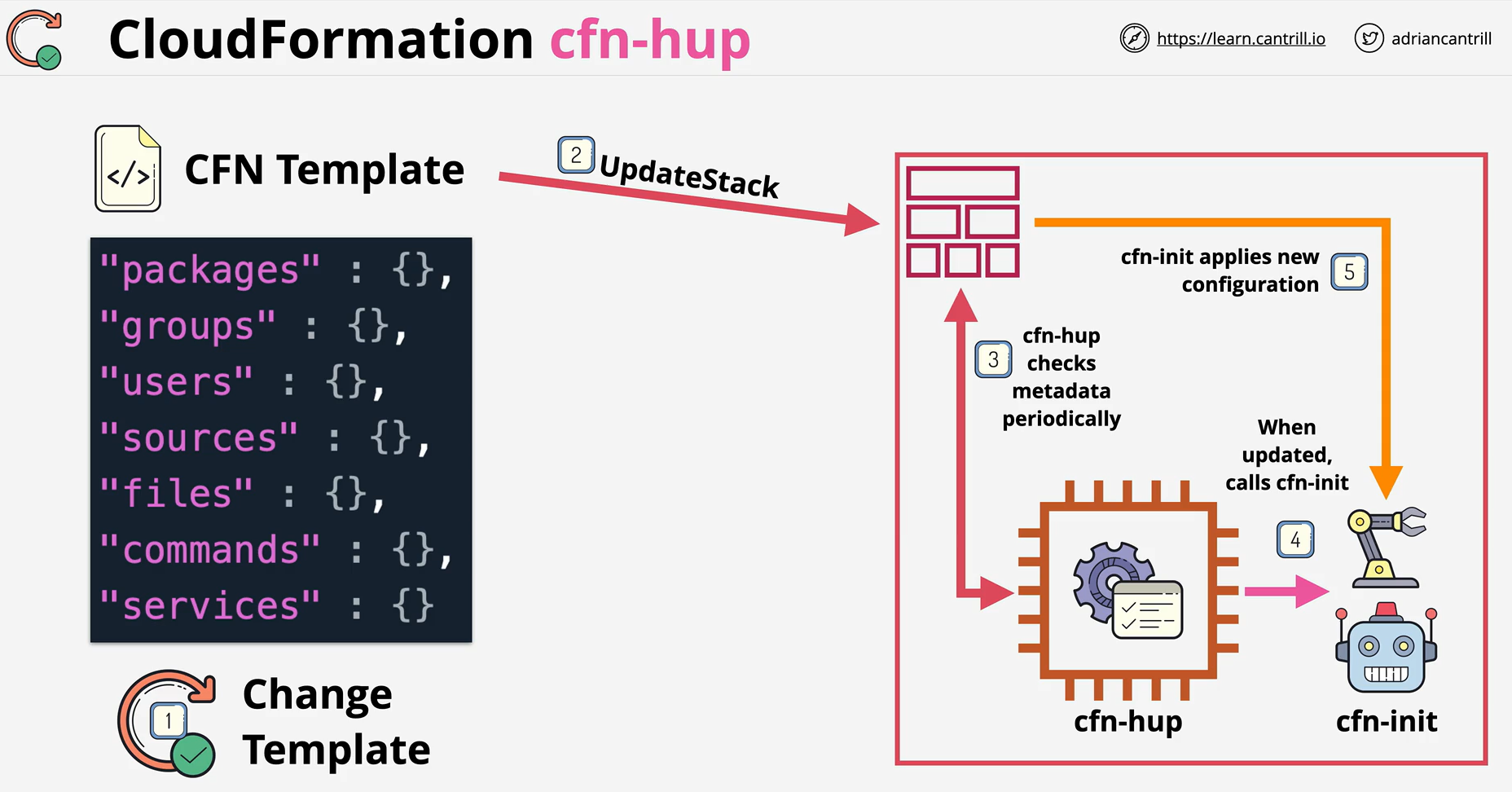
- The cfn-hup helper is a daemon that detects changes in resource metadata and runs user-specified actions when a change is detected. This allows you to make configuration updates on your running Amazon EC2 instances through the UpdateStack API action.
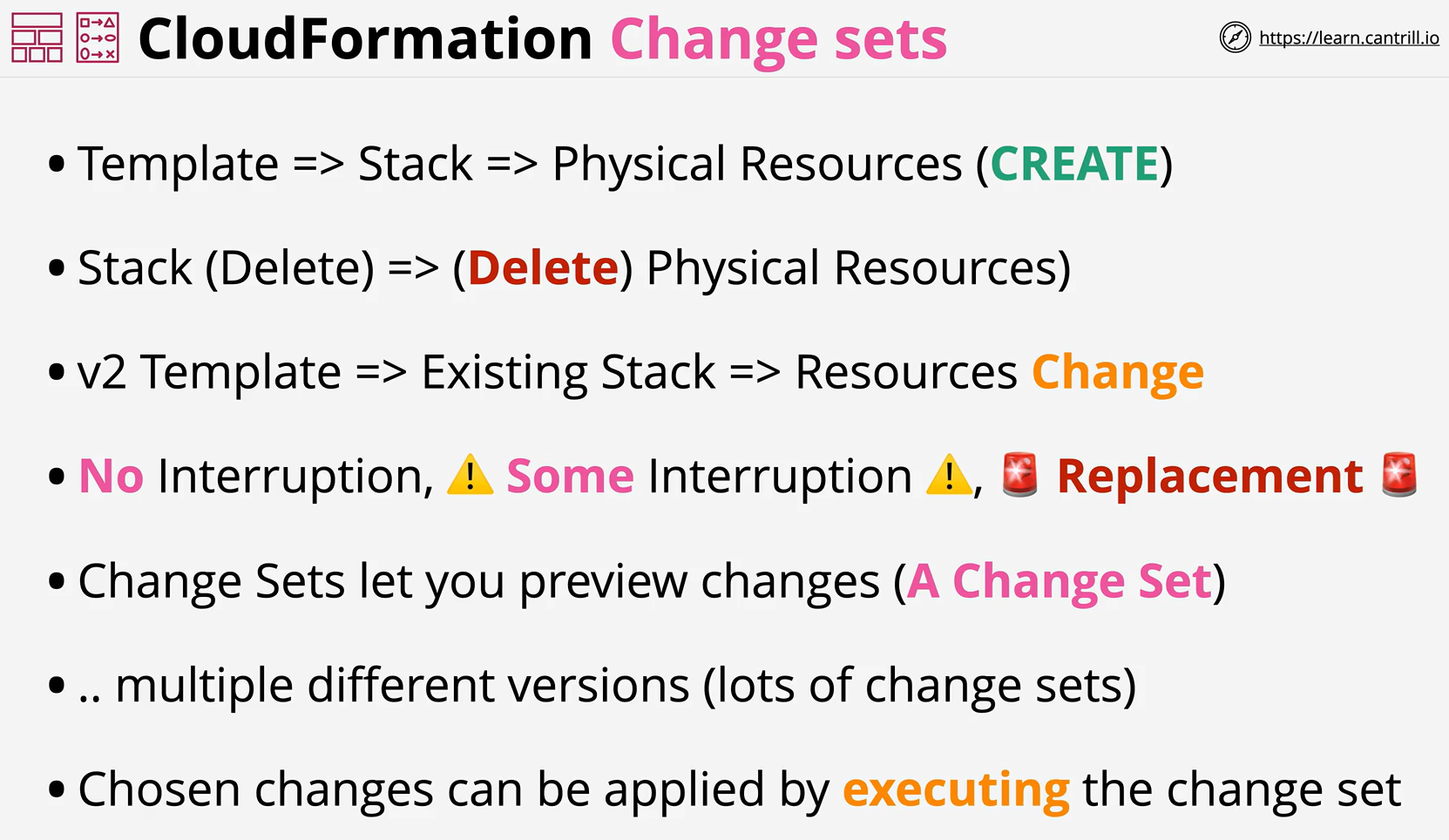
- When you need to update a stack, understanding how your changes will affect running resources before you implement them can help you update stacks with confidence. Change sets allow you to preview how proposed changes to a stack might impact your running resources, for example, whether your changes will delete or replace any critical resources, AWS CloudFormation makes the changes to your stack only when you decide to execute the change set, allowing you to decide whether to proceed with your proposed changes or explore other changes by creating another change set.
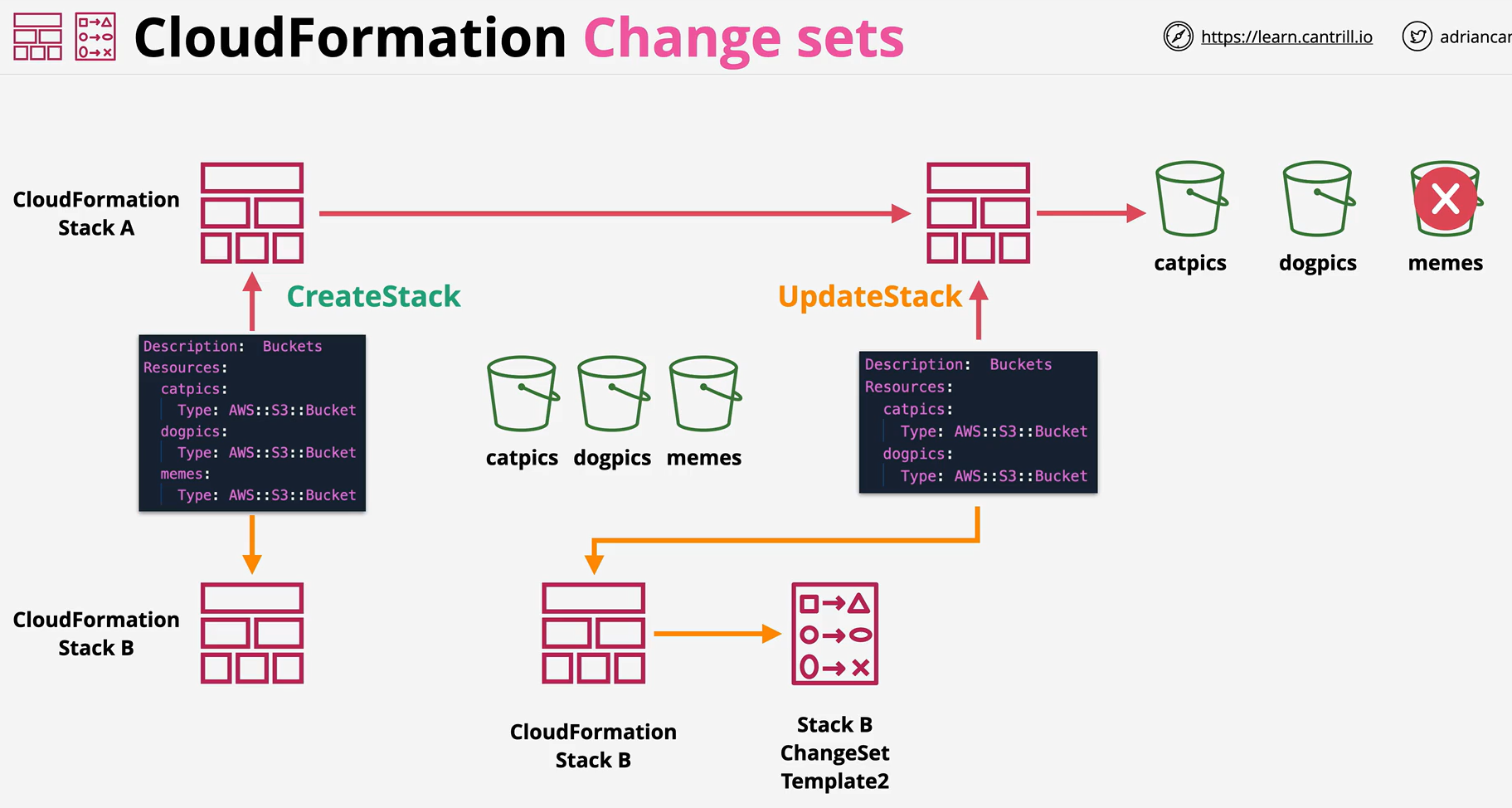
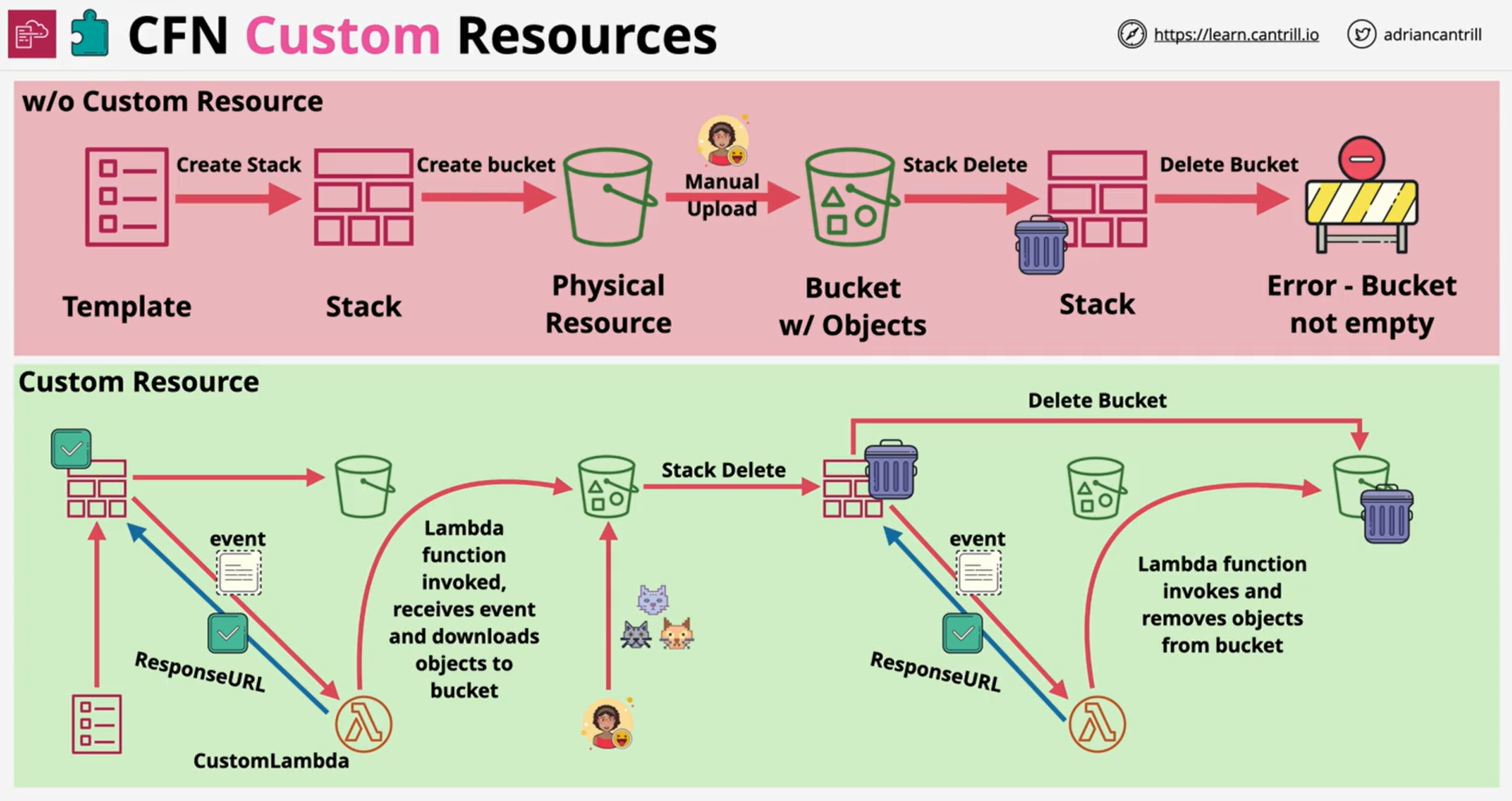
- Custom resources enable you to write custom provisioning logic in templates that AWS CloudFormation runs anytime you create, update (if you changed the custom resource), or delete stacks